
Do Not Sell My Personal Information
Jump to content
View in the app

A better way to browse. Learn more.

Jaguar Owners Club

A full-screen app on your home screen with push notifications, badges and more.

To install this app on iOS and iPadOS
  1. Tap the Share icon in Safari
  2. Scroll the menu and tap Add to Home Screen.
  3. Tap Add in the top-right corner.
To install this app on Android
  1. Tap the 3-dot menu (⋮) in the top-right corner of the browser.
  2. Tap Add to Home screen or Install app.
  3. Confirm by tapping Install.

Wayne 1

Members
  • Joined

  • Last visited

  1. not sure what I need as it had nothing at all so im hoping this is not just the update disk and is the mapping disk
  2. off ebay he is sending out another disk just had a reply off him so fingers crossed, with not having one of these before I was just curious if it was just an update disk or the full map disk but we shall see when the next disk arrives
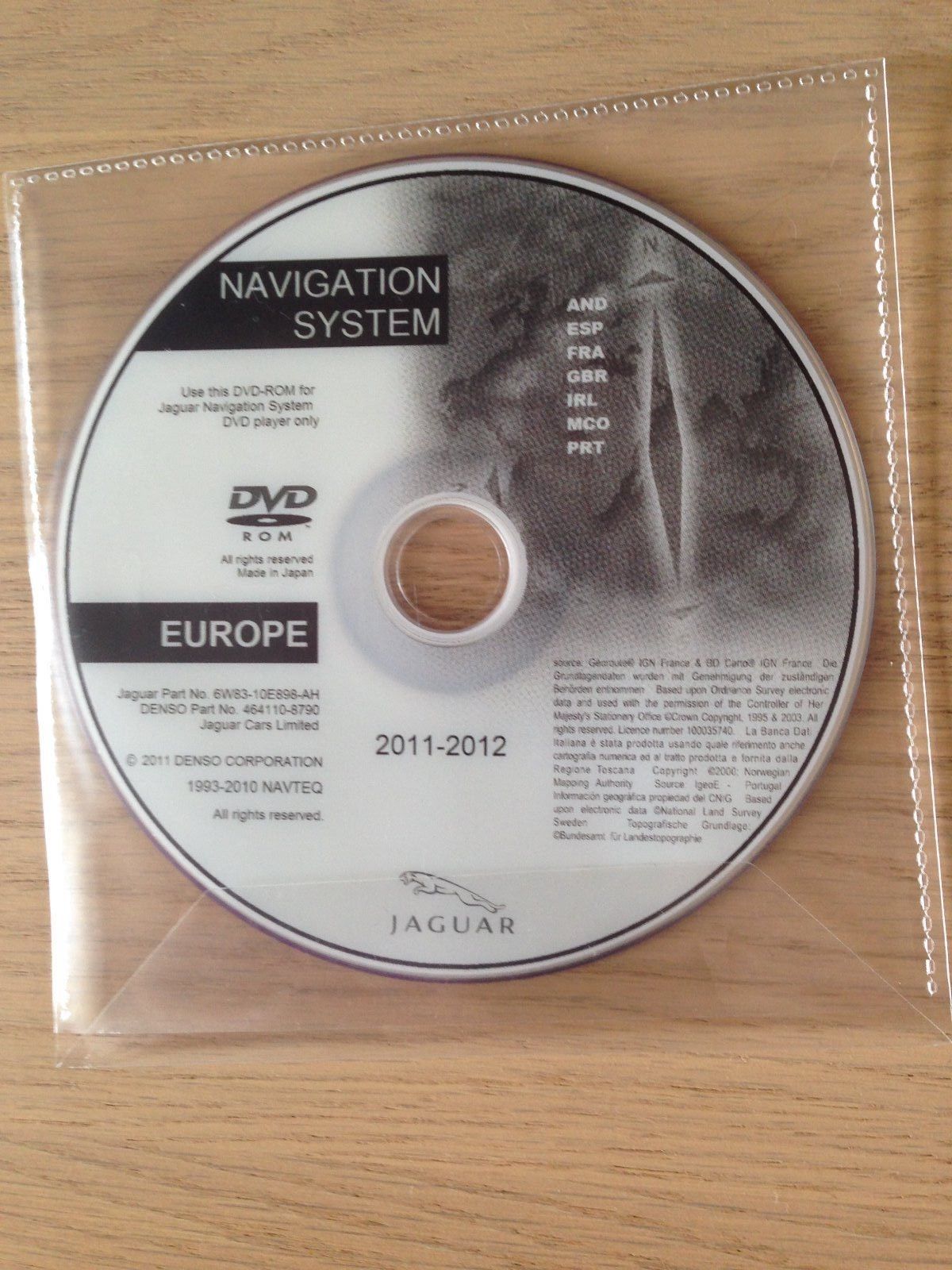
  3. Hi I have just purchased my first Jaguar a 54 plate Xtype I am looking to find out if I have the right disk for the sat nav as it didn't come with a disk, I start the engine as instructed then insert the dis but it stiall says this is not a map disk on the screen the picture is the disk I have many thanks

Background Picker
Customize Layout

Account

Navigation

Search

Configure browser push notifications

Chrome (Android)
  1. Tap the lock icon next to the address bar.
  2. Tap Permissions → Notifications.
  3. Adjust your preference.
Chrome (Desktop)
  1. Click the padlock icon in the address bar.
  2. Select Site settings.
  3. Find Notifications and adjust your preference.