


Alangs
Members
-
Joined
-
Last visited
-
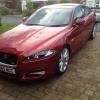 The XF 3.0 'S' does indeed have the 'dynamic mode'.
 -
Not tried 'Sport' mode yet, I'm sure I will in due course when I get used to the cars handling as it is, can't wait.
-
Hi everyone, I've took delivery of my new XF 3.0 diesel S Portfolio on the 1st September (existing model not the new shape) first Jaguar I've owned in nearly 10 years having converted to Merc's as I got bored with the X Type styling. I've just returned from a week in Cornwall the car now having the grand mileage of 1,100 miles on the clock, love the car it out performers the Merc (CLS 350) by far, only gripe and quite a serious one! I caught the from bumper in the first week due to me foolishly expecting the front Park Assist to be on! Not realizing that you have to turn it on!! As it happens upon collecting the car I found a fault with the paintwork on the front bumper and the dealer agreed to fit a new one upon my return from Cornwall, thank goodness!
