


oddbodmark
Members
-
Joined
-
Last visited
Everything posted by oddbodmark
-
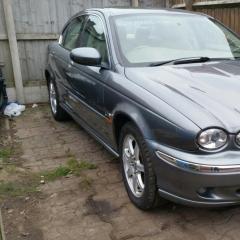 Hi Jim yes just about past the mot just have to replace the rear shocks and clean up some service rust on the back axle ect as it has been standing for over a year so yeah very good result. Very happy on the engine as it performed really well thought I would have had some problem with it as not had a good run been standing for that long mind you did give it a quick service like change the water pump change all the fluids and oil filter when driving the jag to the mot station did get abit of smoking but have cleared up on the second day of driving the jag so well happy but saying that on rebuilding the jag did come across many problems like you do one problem then another problem would pop up so frustrating but stuck with it took my time read afew forums on here and now all going great another jag saved from the crusher. Will have to sit down and think about some mods to do don"t know yet.
 -
will try old peter still doing little jobs on her at the moment trying to get it ready for the big MOT.
-
Hi all newbie here saying what a cracking site this is I brought a 52 plate x type 2.0l manual had a front end smash. Have manage to fix her back up but not without so many problems on the way I have done all the work myself I learn myself as I go along how to do things everytime I have a problem of how to do things on her I google and everytime got my answers from here on this site you people are magic.





