


Leaderboard
-
Jagbreakers.net
Members1Points3Posts -
ian6
Established Member1Points152Posts

Popular Content
Showing content with the highest reputation on 10/11/2016 in Posts
-
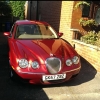
1 pointWell. just put the car in for paint, few panels let the car down rather blend panels in decided to go for the full Monty same colour full body job. The cars only 9 years old but the paint was letting it down, its a 2 to 3 week job and costing more than I wanted to pay on such an old car, but the enjoyment these cars bring it was a no brainer. people will say why spend that much, I say why not. always been an XJ lover having owned more than 14 over the years, but after selling my XJ8 last year I was smitten by the lines and retro look of my old girl, she's done 101000 mls purrs like a kitten, gives me upwards of 50mpg on a run flew through its last MOT last month (no advisories), I know I will never recoup the money, but some things are not about money, lets say I had a pet dog and it was ill you would want it at its best, we all have pet cats same applies. sorry for going on, just looking for someone to say HELL YES your doing the right thing. WELL GUYS AM I?.1 point
-
1 pointRe your CD player problem; I can do you a kit which would include player and frame for £50 delivered in UK. If you are interested, I usually knock these out at £75 however, as we have just joined JOC; we are offering a discount on all parts throughout December.1 point