Mark D
Members
-
Joined
-
Last visited
Everything posted by Mark D
-
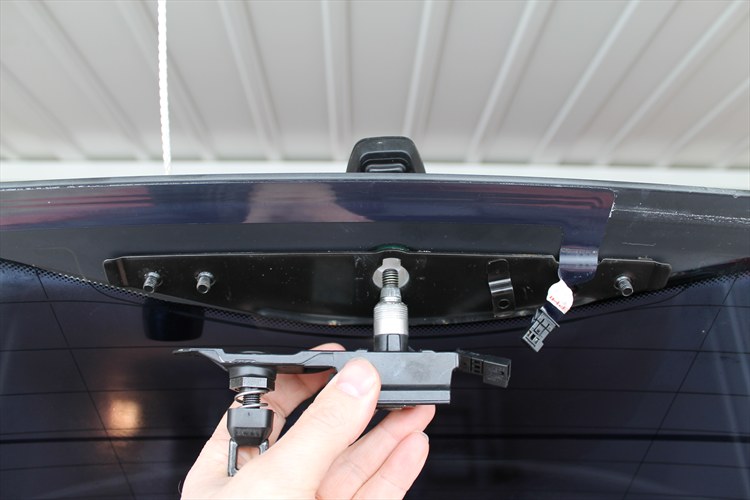
 Can anyone help me identify this part please? The threaded portion broke off while I was fixing the seized rear wiper and tailgate release issues, and I am not sure what the part is called in order to locate a replacement. A quick look on google hasn't given me much of a clue as to its description or part number. Looking on google images though, has suggested that the 3 series bmw and Rover 75 have very similar, if not the same parts. Any help would be most appreciated