


Adam4882
Members
-
Joined
-
Last visited
-

-
Now this may be a silly question but does anyone have any model jaguar that chirps or beeps when you push the lock button on the remote. I was under the impression cars no longer did this but I have a friend that assures me they do actually still do it. I have a 2001 s-type and it makes no sounds what so ever when I lock or unlock it, just like my 5 cars before that. Thank you in advance, sorry for the silly question. Adam
-
Brilliant, Thank you mate
-
Do you know where I can find the mechanism? I think I need the drivers side set as I can hear the motor but upon inspection the cable has come off. Thank You Adam
-
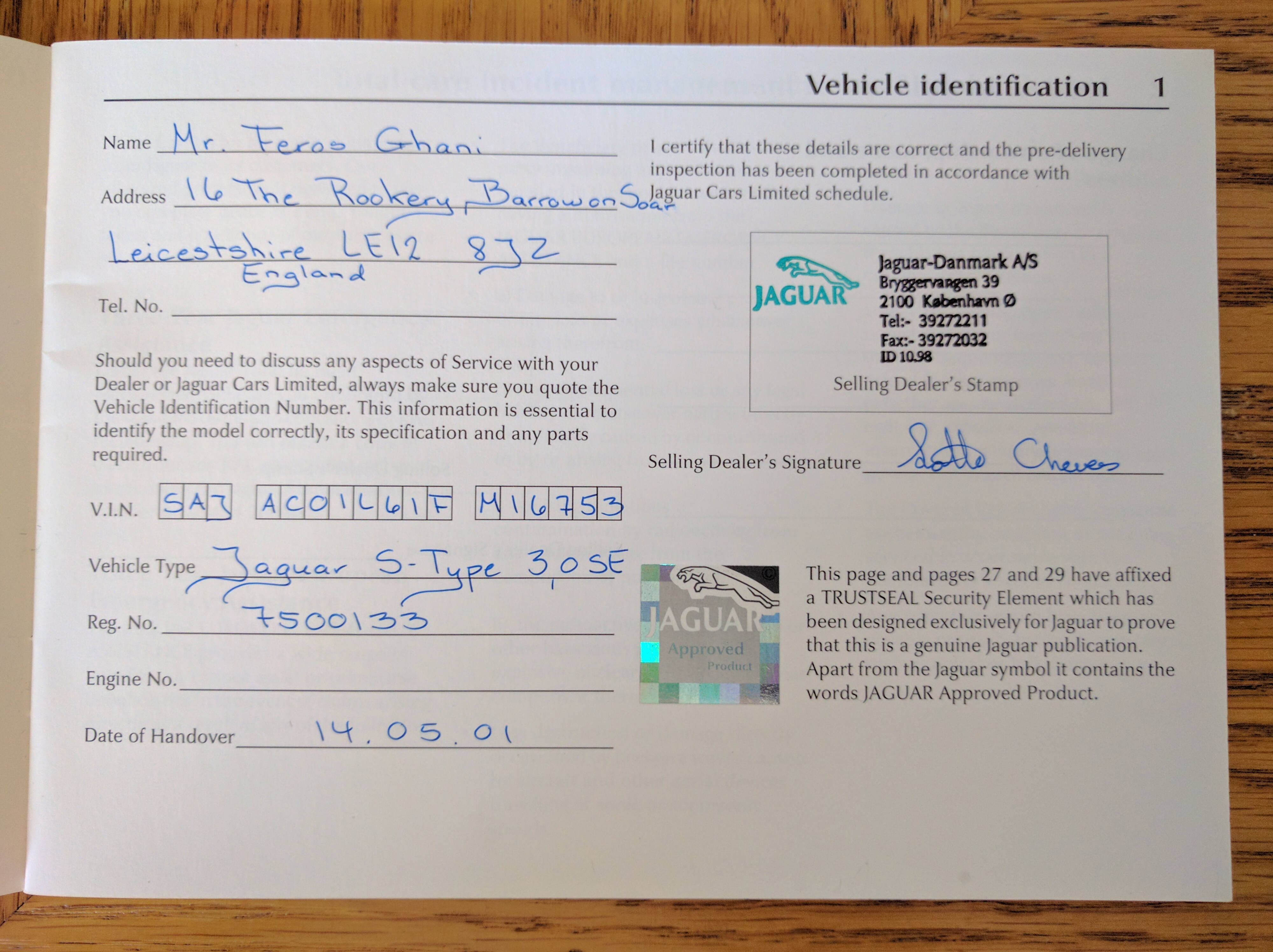
Thank you Peter, I read your comment then checked through the booklets I have, the booklet 'Total Care Handbook' shows where and when it was registered and clearly says that it is indeed an SE I should maybe have checked through the booklets first, sorry, you know how it is. Thanks again Adam
Cheers Steve, I haven't got the V5 yet. It was my uncles car so we are waiting for the tax to switch from disabled to normal. With what it has it certainly seems like an SE. I have all the user manuals, the wallet and all that paperwork. I wonder if there is something specific that only an SE has? Adam
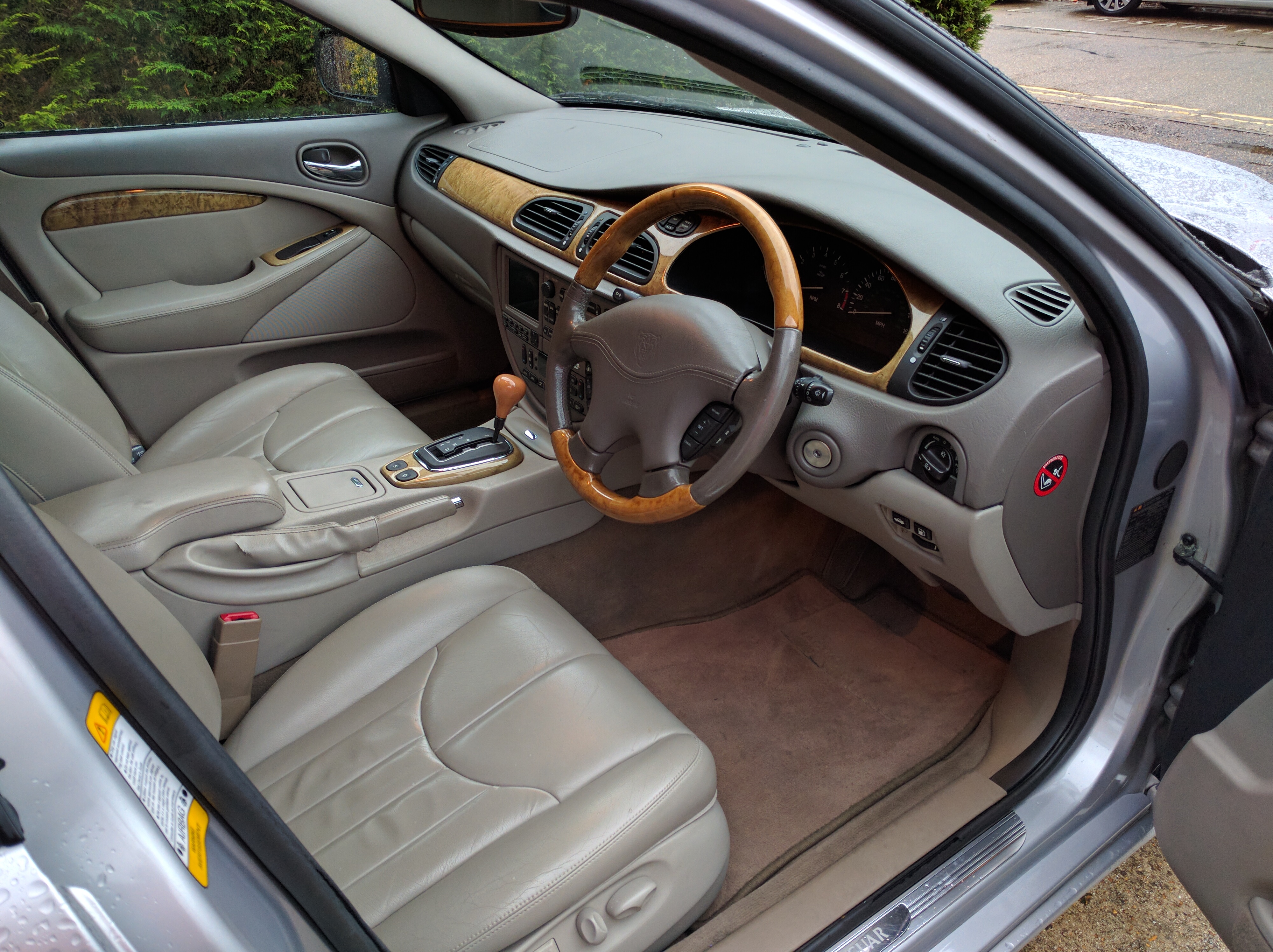
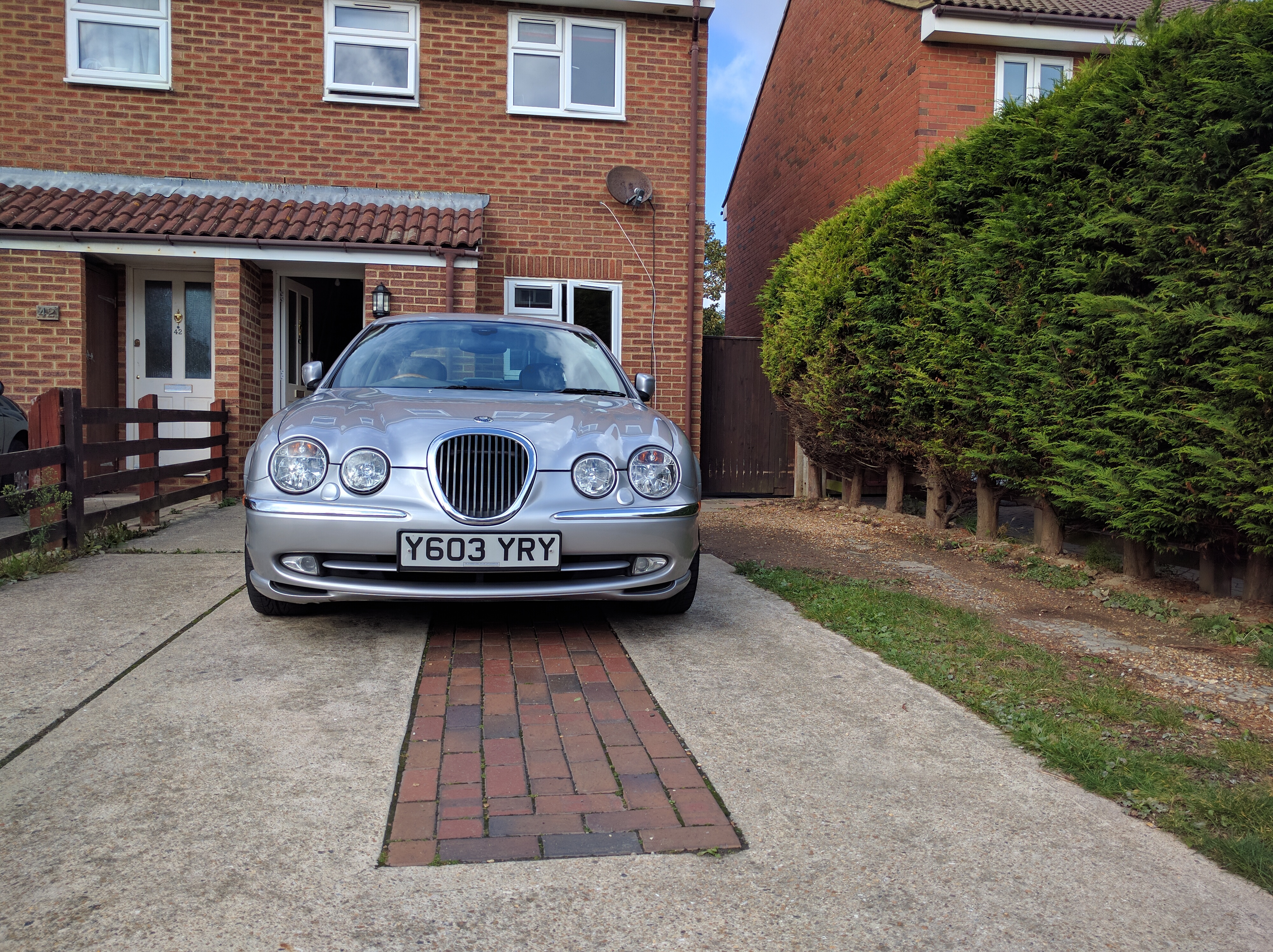
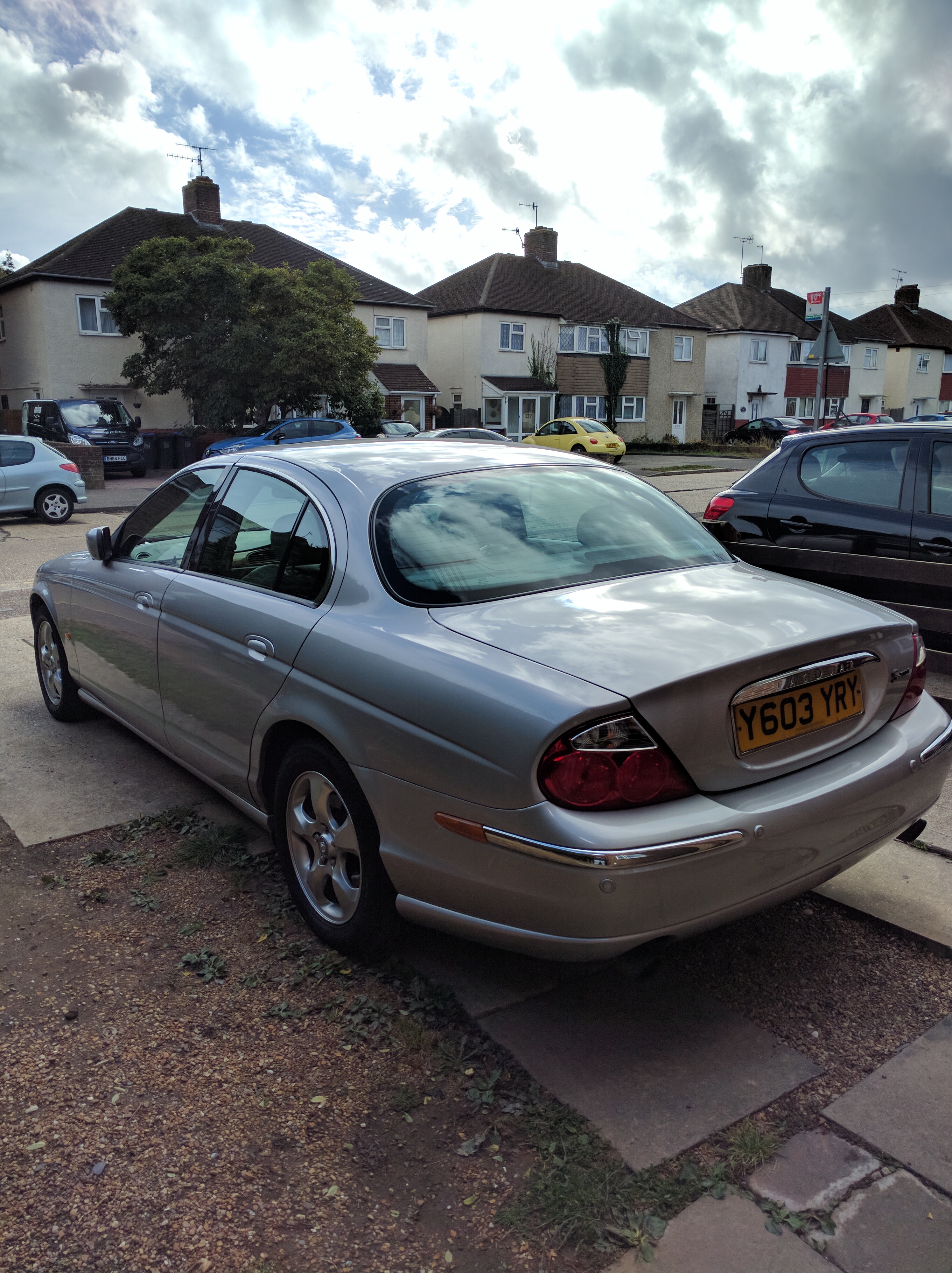
Hello everyone. Now this may seem a little bit of a silly question but i recently bought an S-Type and i was wondering how I tell if its a Standard/ Sport or SE?? I'ts the first Jaguar I've owned so i'm really not sure. When i owned an Audi it had little codes in the owners manual printed on a card that when typed into a certain website would tell you what it had equipped and what it was. Some of you with more knowledge may be able to tell by what it looks like, what wheels are fitted etc' so I will post some pictures as well. Thank you in advance guys Adam


 Lancing, West Sussex
Adam4882 changed their profile photo
Hi Russ, I will be doing the majority myself yes unless something requires a specialist. My uncle mentioned it has a slight blow on one of the pipes at the back so I will be getting a standard cat back exhaust for it plus it has an issues with the drivers side window mechanism which seems to be a common problem from what I can see, I'll get the panel off at the weekend and have a look, might be something I can do easily. The only modifications I will be doing is replacing all the interior halogen bulbs for LED other than that I will be keeping her as original as possible. Cheers man, nice to talk to you. Adam
I'm joining this here forum as I am picking up my new Jaguar S-type this friday. I cannot wait! It's a 2001 3.0 V6 Auto SE... I say it's an SE but I can't be absolutely sure of that, it's just that the spec is amazing so I assume it is. its done 60k miles and is extremely clean and tidy, my uncle is doing me a good deal on it! So i'd just like to say hi and show some pictures of what will be mine on friday! Cheers guys, nice to meet you all Adam
Lancing, West Sussex
Adam4882 changed their profile photo
Hi Russ, I will be doing the majority myself yes unless something requires a specialist. My uncle mentioned it has a slight blow on one of the pipes at the back so I will be getting a standard cat back exhaust for it plus it has an issues with the drivers side window mechanism which seems to be a common problem from what I can see, I'll get the panel off at the weekend and have a look, might be something I can do easily. The only modifications I will be doing is replacing all the interior halogen bulbs for LED other than that I will be keeping her as original as possible. Cheers man, nice to talk to you. Adam
I'm joining this here forum as I am picking up my new Jaguar S-type this friday. I cannot wait! It's a 2001 3.0 V6 Auto SE... I say it's an SE but I can't be absolutely sure of that, it's just that the spec is amazing so I assume it is. its done 60k miles and is extremely clean and tidy, my uncle is doing me a good deal on it! So i'd just like to say hi and show some pictures of what will be mine on friday! Cheers guys, nice to meet you all Adam(1).thumb.jpg.f35dc981a88cee667ae07135e19c57ca.jpg)
.thumb.jpg.cf7f092730b781e3e6ec4406fa5f6987.jpg)
-1.thumb.jpg.92980a881ac832859dba05c3b8a3b7ec.jpg)
.thumb.jpg.b04d81ea9267c544b88dc7f7c8af0316.jpg)
.thumb.jpg.c7eca49f0a89387dfa6ebdd99457128d.jpg)
.thumb.jpg.cd8625d78e66381bac1d822f519d7787.jpg)
.thumb.jpg.beb5f02e61273db386fcb9cd7c6b745b.jpg)
.thumb.jpg.0ea23f86ff52513dfe4ff5b95514e17e.jpg)
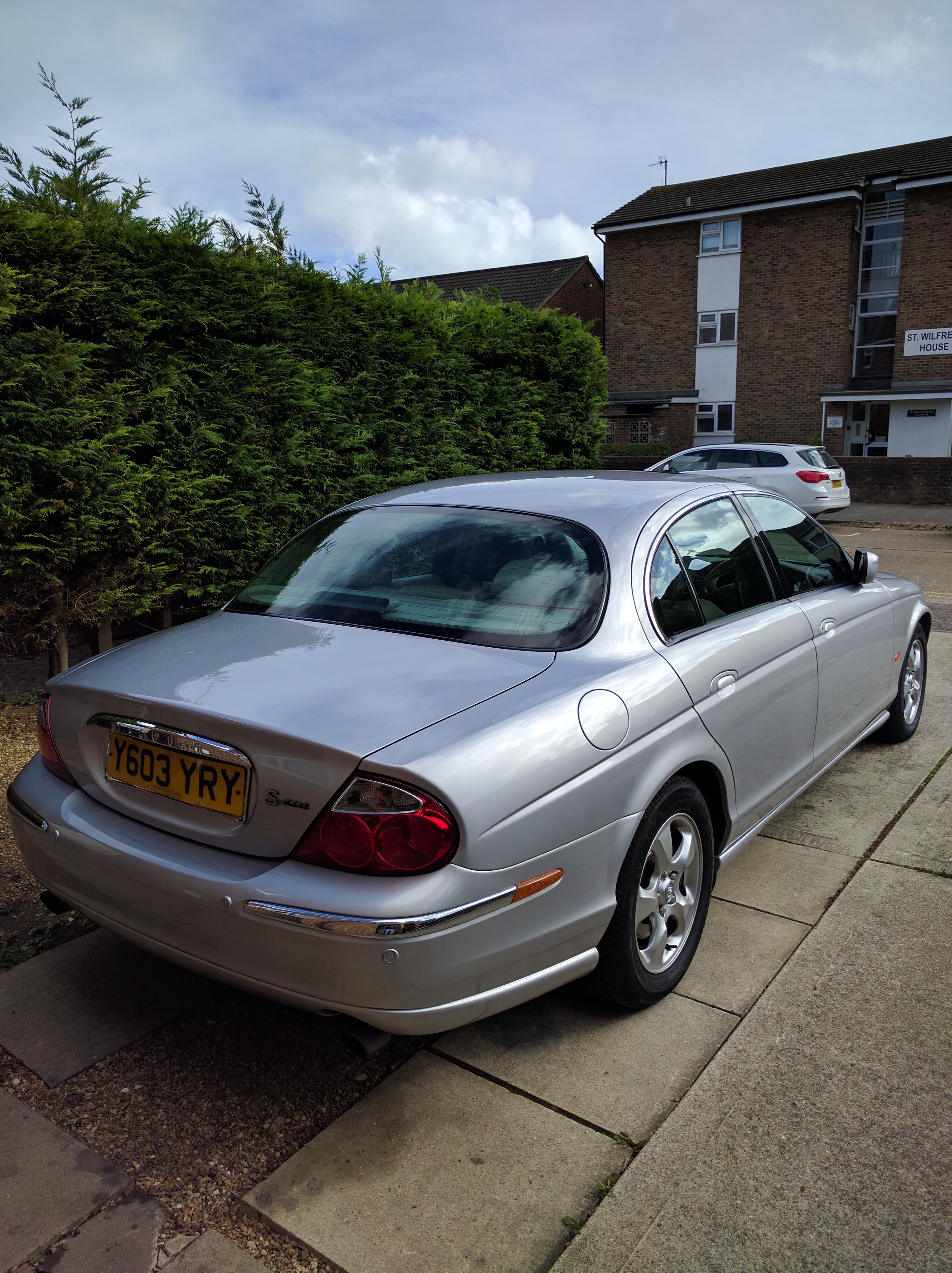
(1).jpg.41888b5a40e6a6053dbfbaed41a57a0a.jpg)
.jpg.3dcacc972b97e5687541e93c5c7efa8f.jpg)
-1.jpg.5f17dfaf0bf300e85441f61f08823483.jpg)
.jpg.75cb6f1b35bdd47ca611889b7af200fb.jpg)
.jpg.e8d2bef274f70f77d5ad010f59a64a2c.jpg)
.jpg.57b10f9b4d18d2af465af576b7fd8c0e.jpg)
.jpg.ed4c4208451bc5a9f212b64289a21e24.jpg)
.jpg.2a23f2325376fa2bd598410a0a5df1f8.jpg)