


Nikola
Members
-
Joined
-
Last visited
-
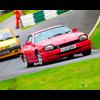 I run XK8 revolver wheels on my XJR-S. When I got them they came with Pirelli P Zero 255/50/17's front and rear. These are too high and wide for my car, so now I run 235/45/17's Yokohama A048
 -
IP.Board is great :)
-
Forest Hill, London
-
never felt the need to take it myself, I do all my pass plus traning on the track :) If it includes motorway driving then I think it should be, not just for the young :)
-
-
Christine, She wasn't named by me, but by the previous owner of 10 years , a blonde 30 something posh girl :)
-
Hi All, I'm a 2x XJR-S 5.3 owner , I also have a 95 X300 XJ6 Sport. Here are some photos http://www.photo-cult.co.uk/main.php?g2_itemId=11432 http://www.photo-cult.co.uk/main.php?g2_itemId=11516
