
Do Not Sell My Personal Information
Jump to content
View in the app

A better way to browse. Learn more.

Jaguar Owners Club

A full-screen app on your home screen with push notifications, badges and more.

To install this app on iOS and iPadOS
  1. Tap the Share icon in Safari
  2. Scroll the menu and tap Add to Home Screen.
  3. Tap Add in the top-right corner.
To install this app on Android
  1. Tap the 3-dot menu (⋮) in the top-right corner of the browser.
  2. Tap Add to Home screen or Install app.
  3. Confirm by tapping Install.

Jeffus

Members
  • Joined

  • Last visited

Everything posted by Jeffus

  1. Hi Geoff, If it was me id take to a proffesional detailer if you have one near you. I definatly wouldnt touch it with Tee-cut.
  2. Thanks for the welcome . Your car looks fantastic. Just love the look of the XF.
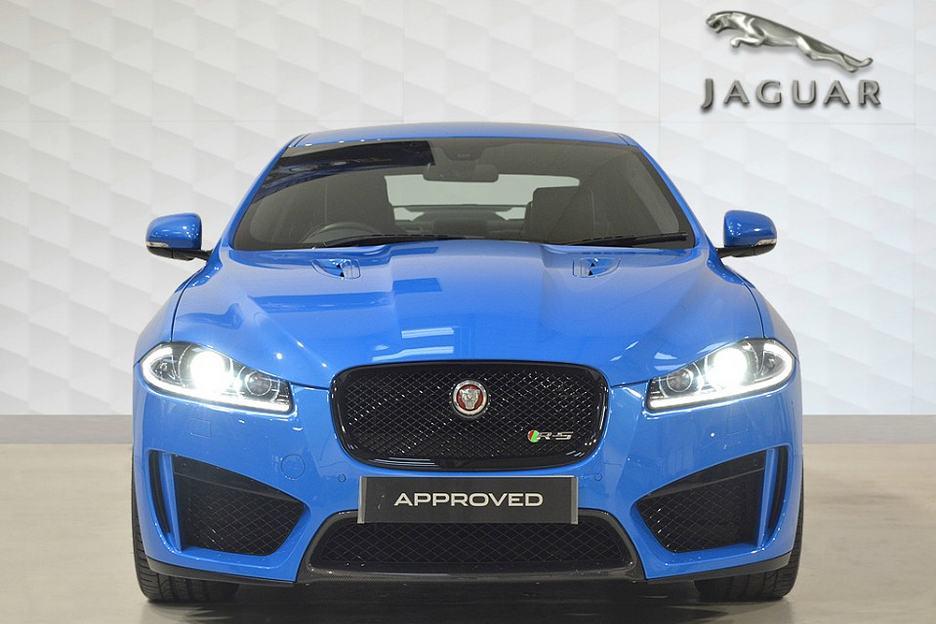
  3. Hi all, Newbie to this site and recently bought an xfrs. I managed to post some pictures on the members gallery.
  4. Jeffus posted a gallery image in Members Gallery
  5. Images added to a gallery album owned by Jeffus in Members Gallery
    Finally seem to have got some pics on. Had this Jag for three weeks now. Saving a long time.
  6. Jeffus posted a gallery image in Members Gallery
  7. Jeffus posted a gallery image in Members Gallery
  8. Jeffus posted a gallery image in Members Gallery
  9. Hi Trevor I will see if i can reduce the images. Thank You.
  10. Can any one advise please. Im trying to load some images of my car on the members gallery but just keep getting "there is a problem loading images"
  11. Jeffus posted a topic in Jaguar Owners Lounge
    Hi Just joined recently. I have a XFRS and wondered if any member can recomend a good service garage. The last car I had came out after having a service with more dents in the body work than it had going in. Looking for jaguar specialist that will really look after my pride and joy. Bedfordshire or MK area.




Background Picker
Customize Layout

Configure browser push notifications

Chrome (Android)
  1. Tap the lock icon next to the address bar.
  2. Tap Permissions → Notifications.
  3. Adjust your preference.
Chrome (Desktop)
  1. Click the padlock icon in the address bar.
  2. Select Site settings.
  3. Find Notifications and adjust your preference.