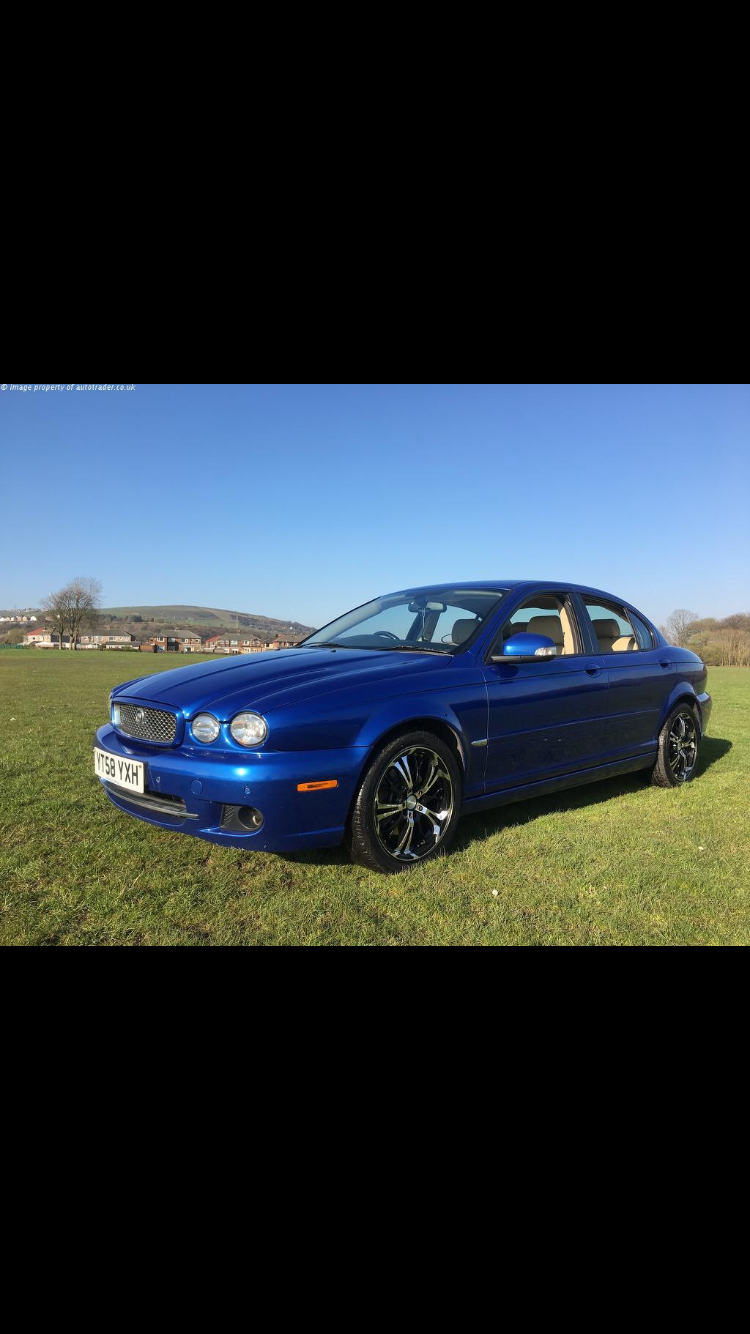
08Xtype
Members
-
Joined
-
Last visited
-
Thankyou both for your replys! Very much appriciated. Unfortunately, I wouldn't have the bottle to do a DIY job and fit myself and risk messing it up, I would rather pay a man to do it! Ha. Ive now ordered one off ebay 😀 Your cars are lovely! Displaying the Leaper / Mascot just makes it that extra special! David.
-
Good evening all! My name is David Lee, from sunny Lancashire!! Im a new owner to a Jaguar X Type 2.2 S Diesel automatic, I have a question which could turn into a job for someone who knows what they are doing the first one is, my car does not have a mascot on the bonnet, is it possible to fit one? Or does the bonnet need to be changed. If anyone could do this for me, I'm willing to pay and travel 😀. Second one, I don't have a sat nav fitted to mine just a standard Jag heater and radio / cd screen is it possible to fit a sat nav head unit and it will work right away, or does the car need alterations all help I will be very greatful for! Thankyou!! David