
Do Not Sell My Personal Information
Jump to content
View in the app

A better way to browse. Learn more.

Jaguar Owners Club

A full-screen app on your home screen with push notifications, badges and more.

To install this app on iOS and iPadOS
  1. Tap the Share icon in Safari
  2. Scroll the menu and tap Add to Home Screen.
  3. Tap Add in the top-right corner.
To install this app on Android
  1. Tap the 3-dot menu (⋮) in the top-right corner of the browser.
  2. Tap Add to Home screen or Install app.
  3. Confirm by tapping Install.

Mark Allen

Members
  • Joined

  • Last visited

Everything posted by Mark Allen

  1. Thank you Cubist and I will keep you posted on my out come.
  2. Thank you Cubist for your information I think I am going to take the off and see if cleaning them help. I checked into some kind f the cleaning products and the best product there is for some reason is not allowed in the U.S.A. and tI will keep you posted on the take off and clean job.
  3. Thank you very much Cubist for giving me a possible answer to my problem.I have never heard of cleaning catalytic converter's but thanks to you for the resources I will check.
  4. It is petrol Cubist and it has 190,000 miles.thank you for responding.
  5. It is petrol Steve and thank you for responding.
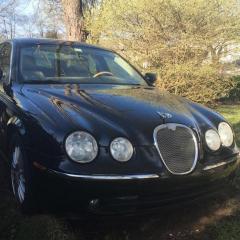
  6. My 2006 S-Type Jaguar keep losing power and speed down to 40mp and when you shut it off and let it sit it starts and runs fine. I have done alot of work on it and a friend suggested the catalytic converter's are clogged could this be the problem? Any input would be awesome.
  7. My Jaguar keeps going in limp mode and will not go over 40 miles an hour.it has been suggested that it's the catalytic converter's clogged up?if there are no imisions where I live.can my car run without them?2006 S-TYPE Jaguar

Background Picker
Customize Layout

Account

Navigation

Search

Configure browser push notifications

Chrome (Android)
  1. Tap the lock icon next to the address bar.
  2. Tap Permissions → Notifications.
  3. Adjust your preference.
Chrome (Desktop)
  1. Click the padlock icon in the address bar.
  2. Select Site settings.
  3. Find Notifications and adjust your preference.