


slartibartfast
Members
-
Joined
-
Last visited
Everything posted by slartibartfast
-
 I can second that. Recently took my X150 for a transmission & diff fluid change and received great service. They also handle classic jags as well as vehicles from the Land Rover stable. I'll be using them for my servicing moving forward.
 -
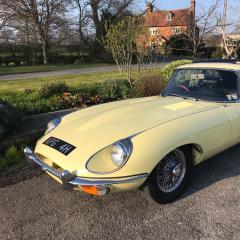
Thought I would drop in and say hello having just joined. My particular Jaguar is a 1969 E Type series 2 in pale primrose and we have a lot of fun taking her to various events etc. Currently looking to also purchase an X150 XK for use on longer trips and where the lack of aircon etc. makes the trip a little less than comfortable in Primrose..
