


Brian Robertson
Members
-
Joined
-
Last visited
-
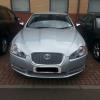 Hi Richard I am also new to the forum having taken delivery of a 3.0l diesel XF at the beginning of May. I am also new to Jaguar , however over the past three weeks the smile hasn't left my face , today I did a 140 round trip to Perth and returned over average 40 mpg. There is so much power I think you will be putting the Sorento out to pasture. I hope that , if you go for the Jaguar, you will be as pleased as I am. Thanks Brian
 -
Just completed a 140 mile trip to Perth ( Scotland not Aus) and averaged 40.8 MPG, I got 48 with my previous 1.6 diesel (Citroen C5). MPG may be the current mainstream goal , however I had the most enjoyable drive today and still have a broad smile every time I drive the XF
-
-
-
