


ColinM
Members
-
Joined
-
Last visited
Everything posted by ColinM
-
 Is it possible to lubricate the steering wheel shaft on my S Type, as it squeaks quite loudly, in low speed manoeuvres, it's more a medium frequency sound.
 -
Just ordered one for the boot and one for the bonnet, from Adamesh, just got to fit them then Regards Colin
-
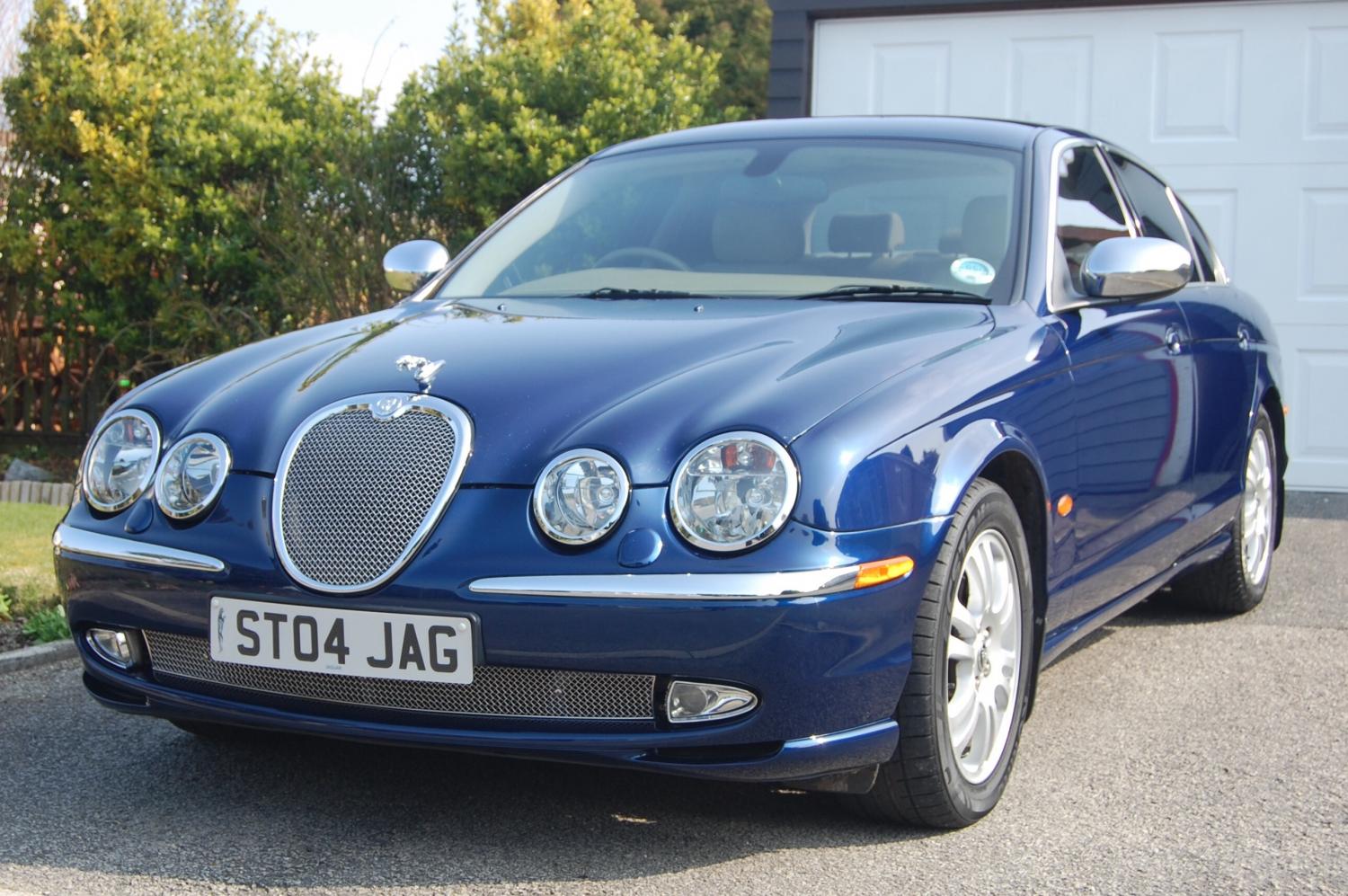
Peter, thanks for getting back to me, your Party's sound like fun! Did you mean to say a small leaping Jaguar on the BOOT? I thought to have one on the BONNET, but don't know how it's attached. Picked up my S Type ES today it looks great but some attention is required On the Bodywork, quite a few small Scratches. Cheers my Friend and 'HAPPY BIRTHDAY' Colin
-
I guess all I have to do is polish it, Thanks everybody. Cheers, Colin
-
Thanks Trevor, Product duly ordered Do you have a photo of yours I can see. Regards Colin
-
Sorry I didn't realise StrayCat was a Tom Cat!!!
-
Thanks Trevor and StrayCat, I was only thinking about upgrading the alloys to the newer model and maybe the front Grill, and I am sure I will have many hours of fun gentle rubbing and caressing that bodywork , whether it is with a young Blonde, Brunette or Red-Head, or a StrayCat, that has wandered in.
-
Does anyone recommend how, when I pick up my first Jaguar tomorrow, I can upgrade it to make it even better looking.
