Bradley
Members
-
Joined
-
Last visited
Everything posted by Bradley
-
 Thank you Trevor. I will take your suggestion.
 -
Hi Peter The jag is a 3.0 petrol. The temp moves up slowly. B
-
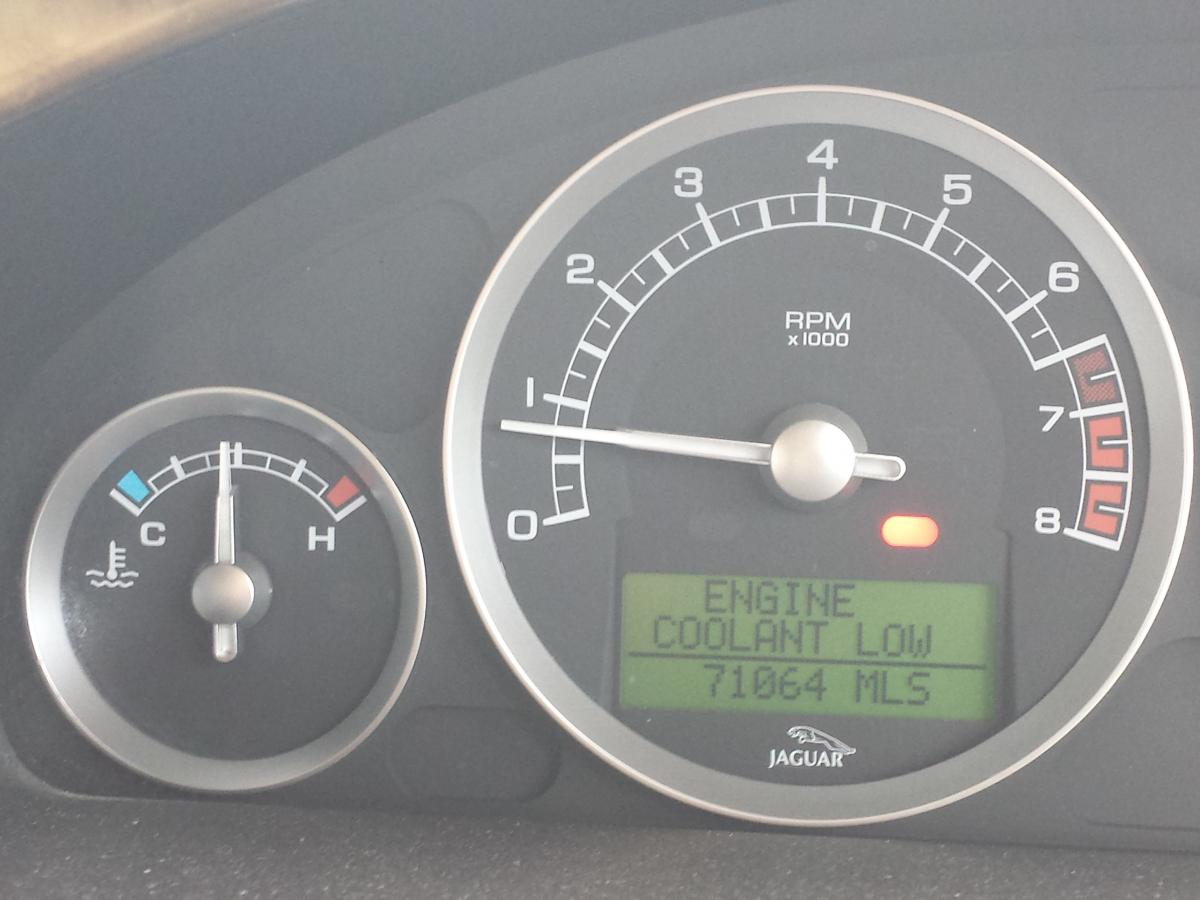
Attached is photo of warning light that I got this morning almost as soon as I left home. (you can see the temp gauge is not even at half way level yet. Additional information: 1. Red low coolant light goes on – then after 10-15 mins goes off. 2. Water in Radiator seems ok – I top up a bit every 3-4 days – not a lot. 3. No water leakage under car. 4. New Radiator installed a few months ago. 5. New Container next to radiator also installed. 6. Temperature gauge always goes from stone cold to mid-way – and stays there. 7. This week performance is now not good – some misfiring on start-up and also over certain speeds and under 20 MPH. 8. Check engine performance amber warning lit up once – two days ago. Any help appreciated as this is getting on my nerves now L