


cockneyred1970
Members
-
Joined
-
Last visited
-
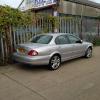 Evening all simple really buying abother jaguar,I've had xtype 2.5 awd was nice but now looking to step up To 3.0ltr but can't decide s type or xtype any views on this power wise etc
 -
Hello to all members looking to buy my first s type within the month.stunning looking cars I've owned an x type but didn't really choose the right one panic buy because it was local .anyway I've narrowed my list down to 3 1 a 2.7 twin turbo Diesals 2 4.0 2 4.2 Now I'm not really botherd about fuel consumption I work all week so I'll drive what I whant lol Got to have sat nag and the look what I mean by the look is you can defiantly see a difference between the sport models and not if anyone has any feed back on my 3 choices please I'd love here happy new year to all
