


Welcome to the Jaguar Owners' Club!
Membership is completely free, and our community is built by enthusiasts, for enthusiasts. We’re a proudly independent, non-official club, so all the help and opinions you’ll find here come directly from members with real experience of Jaguar Ownership from REAL people.
Join the club! Become part of the community!
Random Topics this week
-
Evening All, I have a rather nice new to me 1989 XJ40 arriving early next week, the seller told me the tyres on the car are still the original tyres supplied new with the car in 1989! He reckons they are still in great condition but really i dont think i should be considering using them at all. So, i tried all the usual online tyre sellers plus our local tyre dealers only to find that replacements for the originals still on the car are just about as scarce as rocking horse.......
-
Hi All. i’ve found a 1998 4.0L XK8 that I’m interested in done 162k, Blue, non convertible. car looks pristine inside and out. The previous owner was an Engineer for 20 years and treated it as his “baby”. Unfortunately he’s passed and that’s the reason for the sale from the family. because he was an engineer he appeared to have done all this own servicing, repairs, Upgrades etc, but there is no paper trail of what was done. The last Stamp was 2015 Can anyo
-
Hi everybody, I'm completely new to this but having looked around your site, feel with your enthusiasm and great wisdom someone could help or advise on my troubles. I have owned the XF for six years and although the car and l have had various disagreements, ( not wanting to start being just one) it still brings a smile to my face when l look at it. Anyway enough nostalgia, the problem is an old chestnut, intermittent reversing camera. The camera and all front and rear sensors st
-
Hi All, My windscreen wipers suddenly stopped working whilst driving home. Pulled into the next services and awaited assistance. After a long wait, help arrived but to no avail. Managed to drive home in dry conditions. Booked car in with local Jag specialist. Car checked out and wiper motor proved to be operational after gaining access and isolating to test. On reassembly wipers still not operational via stalk switch. Specialist suspected water ingress problem in Control Junction Box in drivers
-
Greetings to all. For the last 17 years I have owned and used a Mercedes Vito van, after retiring this year, the van with 220,00 reliable miles on the clock was part exchanged for a 2019 XF Sportsbrake. The car is great, I am still finding my way with it as it is a far cry from a Vito Van! First long trip tomorrow. Southport to Scotland and back a 500 mile round trip which I am looking forward to.
-
Driving around in the city with all the traffic stops/starts and slow momentums my 2019 XF gets to temperature (on the digital gauge) and stays there, but within 10 minutes of dual carriageway or motorway speed the temperature dial drops down to the 'blue' on the dial and just hovers there. Also noticed the stop/start is not kicking in. How is one supposed to clear out the DPF if the temperature isn't correct. Otherwise all things relative, car purring like the cat it is 👌 Any pointers
-
Hi all, I’m new here and looking for some advice, I’m looking to purchase the XJ6 and have one in my sights, I do however wish to buy a long wheel base. I have found one that the seller has told me is a LWB but upon running the reg through total car check it comes back as a SWB. I know that the extra length is in the rear doors, I am struggling to tell from the side image that I have. Just wondering if there are any eagle eyed members who could give their opinion please ? regards Matt
-
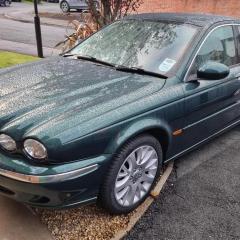
My x type 2.5 AWD auto has braking issues. When car is cold brakes barely stop the car. When I pump go and stop numerous times the brakes come back to life and are ok the rest of the day. Any ideas on what the problem could be?



.jpeg.a1b3c7b1959731a67ee42c3dcb7bcd14.jpeg)


Latest Posts from the club!
-
 Rushtonsclassiccarspares replied to John Pinchbeck's topic in Jaguar Parts and Accessories For Sale & WantedHi John I have a set on eBay for sale EBay item no 277483352582 Thanks James
 -
 Try this one; https://www.ebay.co.uk/itm/136028777599?var=0&mkevt=1&mkcid=1&mkrid=710-53481-19255-0&campid=5338268676&toolid=10044&_trkparms=ispr=1&amdata=enc:1S_Exu2n3QUqA5RcfYm304g5&ff=11&gbraid=0AAAAADA7Q_LY2iZRuXQK3Dm3AqZyzbpJY&loc_physical_ms=9046363&adtype=pla&customid=EAIaIQobChMIvNnKp6e2kgMVTZtQBh0bCRw7EAQYBCABEgJTUPD_BwE&gclid=EAIaIQobChMIvNnKp6e2kgMVTZtQBh0bCRw7EAQYBCABEgJTUPD_BwE
 -
 2015, 2.2 diesel rear subframe wanted ,
 -
me too have just spent short of £600 on brake pipes rear brake caliper and 2 droplinks not to mention welding underbody...
-
took mine off front to accommodate smaller size winter wheels about 7 years ago, have just replaced front and rear brake pipes , jaguar dealer part only cost an absolute fortune.....
-
-
 I filled in the application form many weeks ago and have heard nothing since -any one had better luck?


