


Loud1
Members
-
Joined
-
Last visited
Everything posted by Loud1
-
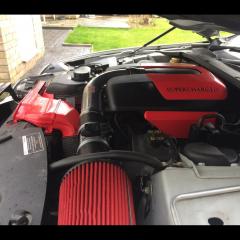 S Type R
-
 26A0C4DC-3FC6-4A9B-9B25-605B57757D57.jpeg
-
 3DF27CCC-9CE4-4038-A44A-A34C9CDF84FB
-
 E8C6B5CF-50EA-4E8D-9982-6ABB61203745.jpeg
-
 6B785D48-620F-4A07-8953-2E0BAEDF69CC.jpeg
-
 2C7BD142-C04E-4AF4-8BC5-6D674553A3AC.jpeg
-
 18DCB050-C0ED-4E8A-AE89-8CE66320226B.jpeg
-
 5D480C34-F5FB-45B9-AEF6-D3BEF8071971.jpeg
-
 C5ABB06E-62DD-4354-969A-9AB60E225EDB.jpeg
-
 2E08F605-0AE7-4278-A5E7-873AB09C809F.jpeg
-
 IMG_0840.PNG
-
 016.JPG
-
 015.JPG
-
-
From the album: Loud1
-
From the album: Loud1
-
From the album: Loud1
-
From the album: Loud1
-
From the album: Loud1
-
From the album: Loud1
-
From the album: Loud1
-
From the album: Loud1
-
From the album: Loud1
-
Can they be removed/deleted?
-
anyone know how to edit photos that they have put on this site? cant find how to do it anywhere!
-
Hi , New member to the club but not to jags , on my second one now and loving it. Anyone know of any good jag meets or just good car meets in my area but not any jap car rubbish, I am on the Cambridgeshire/Suffolk/Essex borders, cant seem to find much on the net other then the one below that looks worth a ride out for. Ace Café London, Jaguar Meet,1st May 2017,11:00-16:00
-
Has anyone had there S Type R chipped and if so what sort of gains are to had? I am having trouble finding anyone to do mine as its got the older Denso ECU.
-
-
-
-


