




Norfolk Ian
-
Joined
-
Last visited
Everything posted by Norfolk Ian
-
 “Simply Jaguar”2024 at Beaulieu National Motor Museum on Sunday 23rd June 2024 a superb day
-
 Beaulieu
-
 IMG_6171.jpeg
-
 IMG_6170.jpeg
-
 Only Fools and Horses
-
 James Bond
-
 Dr Who
-
 Beaulieu
-
 Simply Jaguar
-
 Simply Jaguar
-
 Simply Jaguar
-
 Simply Jaguar
-
 Simple Jaguar
-
 Simply Jaguar
-
 Chitty Chitty Bang Bang
-
 So many Jags
-
 Arriving for the day at Simply Jaguar
-
 JOC line up
-
 My Jaguar XF in line JOC line up
-
 Part of the JOC line up
-
 Simply Jaguar 2024
-
-
From the album: Simply Jaguar 2024
-
From the album: Simply Jaguar 2024
-
From the album: Simply Jaguar 2024
-

From the album: Norfolk Ian
-
From the album: Simply Jaguar 2024
-
From the album: Simply Jaguar 2024
-
From the album: Simply Jaguar 2024
Which Doctor -
From the album: Simply Jaguar 2024
-
From the album: Simply Jaguar 2024
-
From the album: Simply Jaguar 2024
-
From the album: Simply Jaguar 2024
-
From the album: Simply Jaguar 2024
-
From the album: Simply Jaguar 2024
-
From the album: Simply Jaguar 2024
-
From the album: Simply Jaguar 2024
Including young lab looking for the wings -
From the album: Simply Jaguar 2024
-
From the album: Simply Jaguar 2024
© Ian Sherwood
-
From the album: Simply Jaguar 2024
-
From the album: Simply Jaguar 2024
-
From the album: Simply Jaguar 2024
-
From the album: Simply Jaguar 2024
-
Shaker
-
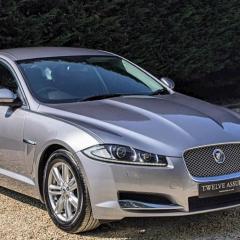
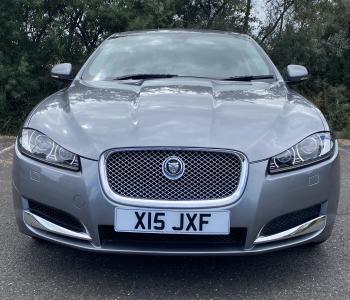
Welcome, I bought my Jaguar XF last year I love my car and the JOC is a great group very friendly and helpful. Do put some photos of your car in the gallery and check out my photos 😊. Ian
-

From the album: Norfolk Ian
Love this photo


