


Graham669
Members
-
Joined
-
Last visited
Everything posted by Graham669
-
 Hi Everybody, All Jaguar owners families and friends are invited to the new Jaguar day in the Midlands (UK) Sunday 12th of June 2011 Please see poster below, if you want a pleasure, or aerobatic, flight book online and quote discount code 593 at checkout for an automatic 25% discount! Sunday 12 June v7.pdf
 -
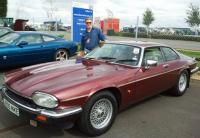
Hi All, I am a bit of a Jaguar nut, this forum sign up only allows you to input one Jaguar car, I have four, yep, I am the Jag nut behind the wheel of four, one at a time! I have a 1992 XJS (facelift) 5.3L V12, a 1998 XJ8 Sport 3.2L V8, a 1999 XK8 Convertible 4.0L V8 and a 2004 X-Type Estate 2.5L V6 AWD converted to LPG fuel for economy. I am a member of three Jag car clubs, JEC, XJS and XKEC and I am the organiser of the UK JEC Midlands day to be held on the 12th of June 2011 at Coventry Airport.

