


chappers77
Members
-
Joined
-
Last visited
-
 +1 for Horner and Hudsons. I've had a gearbox service, car service and rad change there and and they've been nothing short of brilliant and very honest.
 -
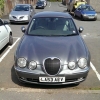
Hi So I've just joined after recently (and finally) becoming a Jaguar owner :D I've wanted a Jag as long as I can remember - basically since I could say the word Jag which was longer ago than I care to remember! This year I finally did it and in July I got a 2004 (53) 3.0 V6 S-Type for a price I couldn't say no to and I've not been disappointed by the car one bit. It's not perfect by any standards and was made slightly less perfect just 10 days after I got it when some @$$h0l£, sorry person in a Merc decided to attempt to remove the N/S/F wing in a car park for me. There were some choice words coming out of my mouth the moment I saw that! Thankfully I've managed to find a replacement wing in (nearly) the same colour which I just need to fit now. The car though (in my humble opinion) is wonderful, marvellous and far and away the best car I have ever owned and I think I have now spoiled myself for anything else. Having said all that, I am really looking forward to the day I can afford the XJR I really want ;) Matt
