


Phil58
Members
-
Joined
-
Last visited
Everything posted by Phil58
-
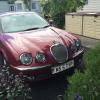 Oh well, just got back from Surrey 400mile round trip. What a bag of s***t wasted my time and money, why can't people just be honest when selling a car. Said it had satnav(didn't) radio needed coding, air con didn't work and so on.
 -
Sorry Ken. Very limited on my welsh
-
Cheers. Fingers crossed with car as I'm traveling to Surrey for it, sounds like it been well looked after, I know where you mean Peter I'm only about 50meters into Flintshire 50 Mtrs back and I'm in Denbighshire. Well at least I will be giving the jag a good run coming home, nice four hour drive.
-
hi all. I used to be a member many years ago, now back as sold my Lexus and going back to jaguar stype, just hope I don't regret
