


Leaderboard
-
Andy X400 3.0
Established Member1Points179Posts -
Bartontiger
Members1Points15Posts -
Old Peter
Established Member1Points7,408Posts


Popular Content
Showing content with the highest reputation on 07/05/2016 in Posts
-
1 pointHi John, There is a very well respected independent Jaguar Specialist in Doncaster --- Doncaster Jaguar, I think, they are called. It might be worth a visit. Regards, Peter.1 point
-
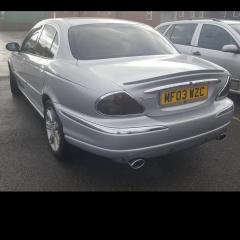
1 pointCheers Andy and Malc, I am Hull born and bred but live in Barton now after moving for work reasons. I emailed Hatfield Jaguar last week Malc regarding a few issues with my S Type but never received a reply which I found disappointing. Unfortunately not got the car gleaming yet. Just waiting for a few dry days and time off work. At 20 mpg was only going to use it at weekends but love it that much I am commuting in it! Expensive drive to work1 point
-
1 pointHi John , good luck with the car i'm sure it will bring you a lot of pleasure . I'm from Grimsby so just up the road from you. My friend is from Barton and i sometimes jump on the train to meet him for a pint or three. Nice little place .1 point