


Leaderboard
-
jezza
Members1Points2Posts -
Nigel Stacey
Members1Points3Posts -

The Voices
Established Member1Points412Posts -
Jaguar1922
Members1Points12Posts




Popular Content
Showing content with the highest reputation on 10/16/2023 in Posts
-
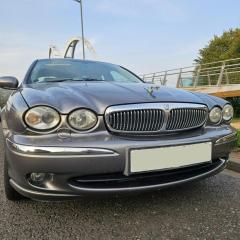
Hello from North Somerset. I have just bought (and fell in love with) a 2009 2.2 X Type. I’m looking forward to browsing the forums and hopefully being able to sort out the few very minor niggles with what I’m sure is going to be a great car. I would also be very interested in any meets that may be in my area.1 point
-
I seem to have fixed it ! Replaced the memory switch on the door and immediately had the correct operation of the memory functions, but still no drivers seat forward and back movement with the engine running. At this point, I thought that I was still going to need to use SDD to diagnose and possibly have to replace the seat module. Then I thought, what if it has a stored fault code generated by the faulty memory switch ? Connected my code reader and, sure enough, B1B88 was showing. Cleared the code and all working fine since then.1 point
-
Hi all! I bought my first ever Jag today after dreaming of owning one since I was a kid. I bought a very tidy 2006 2.2l diesel X Type that has done 72k miles with full service history! Very excited to be apart of this community!1 point
-
1 point
-
1 pointhi all new member got a 2.2d estate absalutley luv it but by god is it a handfull , like the forth rail bridge just finish one end then go bvack to the start.rebuilt front suspension done the sills now getting into the engine niggles looking forward to a long relationship nice to meet you all1 point

