


Leaderboard
-
Jon Hyde
Established Member1Points515Posts -
Redhroogar
Members1Points1Posts

Popular Content
Showing content with the highest reputation on 09/02/2025 in Posts
-
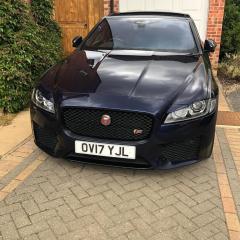
1 pointHaving switched my allegiance from SAAB to Jaguar in or around 2008, purchased my first XF (Diesel second hand ) in 2010. See below next to my last Saab which I also still have. Owned two further XFs before switching to my current 2017 XF-S supercharged petrol. Love this car and will probably hang on to it forever 😜 . No intention of switching to EV despite test driving a Tesla S in 2019 ( ludicrous mode is exactly what it is) .

 1 point
 -
1 pointHi Roy, Well,I’m 69 and now on my second XF. First was an X250 3.0S portfolio (2011). Current one is an X260 3.0 S, loaded with options. To choose between the two is a bit like choosing between your children! First had a better, but dated interior compared to 5e current one. But the current one is loaded with toys and is much, much more fun to drive. Haven’t tried a non sport version of either, so sorry, can’t comment on whether they’re worth it, but if you want performance and handling but with a supple ride, neither will disappoint. so…. What colour are you going to choose??? Good hunting, and enjoy! cheers, Jon1 point

