


Manniewinaename
Established Member
-
Joined
-
Last visited
Everything posted by Manniewinaename
-
 This may be of little help, but when pairing my key fob the drivers door had to be open.
 -
Wow, Town and Country tyres!! Thats a blast from the past.But I seem to remember almost all the cars had them on the rears.

-
Whilst realising that the awd x type is not a grand cherokee, I am hoping it copes reasonably well in the white stuff.
-
Hold that result, found one on ebay. Was a bit expensive but was needed. Thanks to all who viewed.
-
Looking for this model wheel for my x type. Ideally I would like 2, but 1 would suffice. Any members know anyone with one to sell?

-
Probably warped discs.
-
New boards arrived from ebay, fitted, and paired. Works like new. No coding was required. Thankyou for the advice though.
-
Thankyou for reply. Worked for me also.
-
Did the new circuit boards require coding with jaguar IDS/SDD software? I have ordered new boards for mine and am interested to know.
-
Is it ok to fit new circuit boards from ebay in place of the original boards. Plan would be to do only one and see if it works.
-
For number 3. Search you tube. " de-activate automatic door lock jaguar x type" Worked for me.
-
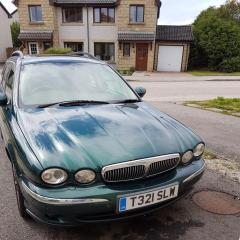
New member (obviously) with an 2007 3.0 awd se estate. Looking forward to my education in all things Jaguar.

