Leaderboard
-

Russ68
Established Member1Points742Posts -
JOE-DOT-COM
Established Member1Points2,509Posts


Popular Content
Showing content with the highest reputation on 02/17/2017 in Posts
-
1 pointI paid c£60 at my local Chant place for a key cut including the transponder. I have the separate fob which was eBay for £15 and we gave a local independent £20 to program the fob and check a fault code. So c£95 all in which was a bit cheaper than the c£150 the independent wanted to order and program us a new one. Well worth having though, we'd have been stuck without the spare key on a couple of occasions. Can't comment on your cunning plan, it could work or you could just shop around a bit more1 point
-
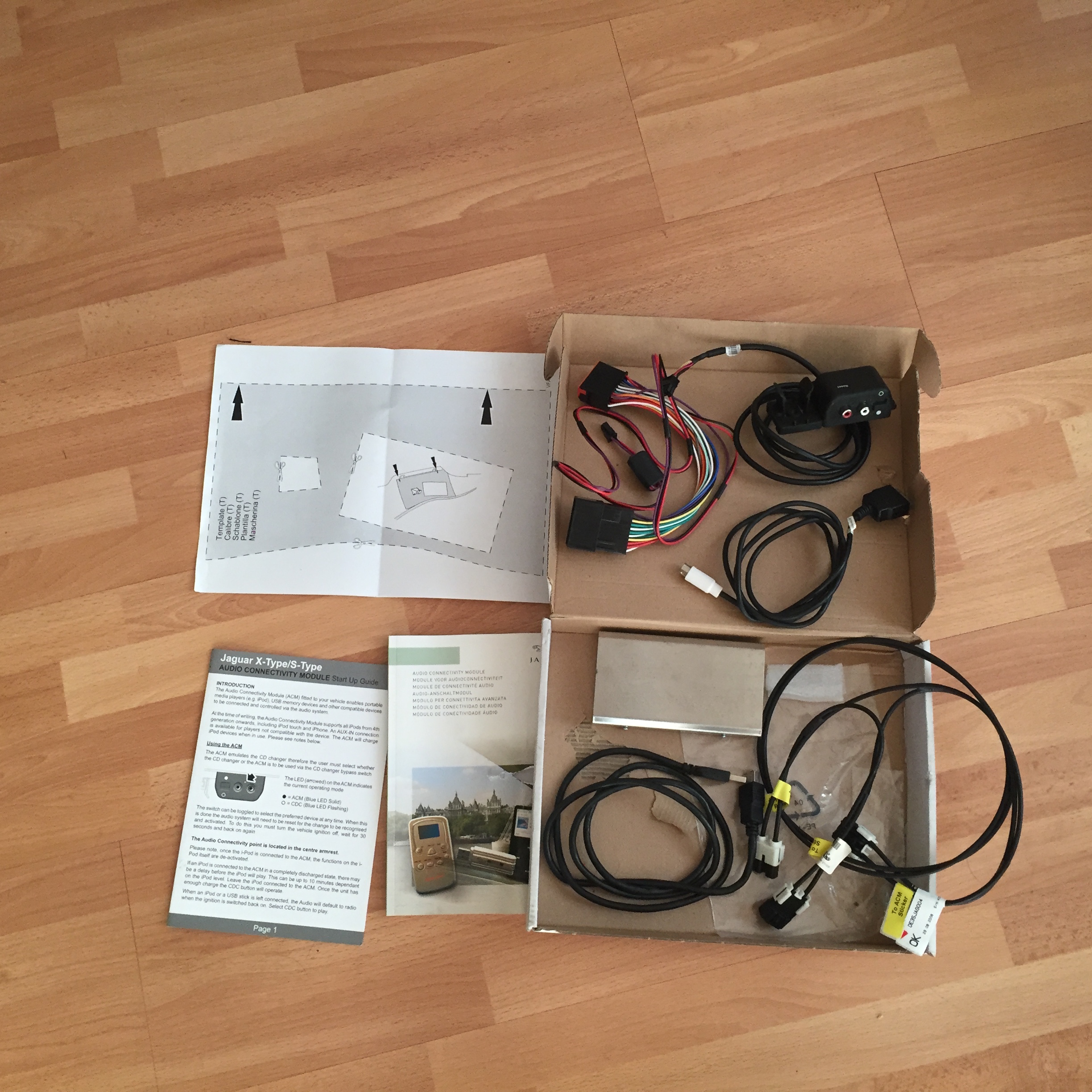
Hi they go from £150 up to about £200, but there £400 new you should get as a mininum acm module, audio in/on off switch lead, ipod lead, power cable/stereo adapter lead, usb lead and mount, fibre optic lead, instructions also there double sided sticky pad to mount module, some screws to mount usb mount and audio in/on off switch and a rubber grommet I have one of these on mine you can still use the cd changer or the acm, through the cd changer screen, you can also use jaguar voice, I use a 16gb flash drive, with all my music on it in mp3, all in different folders its very good http://www.dension.com/jaguar/startupguide16-4-09v2.pdf http://www.dension.com/jaguar/AM 9W93 18C941AB.pdf cheers Joe
 1 point