Do Not Sell My Personal Information
Jump to content
View in the app

A better way to browse. Learn more.

Jaguar Owners Club

A full-screen app on your home screen with push notifications, badges and more.

To install this app on iOS and iPadOS
  1. Tap the Share icon in Safari
  2. Scroll the menu and tap Add to Home Screen.
  3. Tap Add in the top-right corner.
To install this app on Android
  1. Tap the 3-dot menu (⋮) in the top-right corner of the browser.
  2. Tap Add to Home screen or Install app.
  3. Confirm by tapping Install.

Welcome to the Jaguar Owners' Club!

Membership is completely free, and our community is built by enthusiasts, for enthusiasts. We’re a proudly independent, non-official club, so all the help and opinions you’ll find here come directly from members with real experience of Jaguar Ownership from REAL people.

Join the club! Become part of the community!


Featured Replies

Hi all

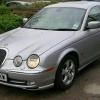
I picked up my new (well new to me) 2001 Y Reg jaguar s-type 3.0 automatic Se and the offside indicators are not working and there is no turning signal on the dash when the selector arm is moved and no signals outside but when you put the nearside indicators on they work all as they should when the.hazard lights are put onall the outside indicators all work but there's still no turning signal on the dash does anybody knowbwhats going.on and how-to fix it many thanks in advance


  • Author

Hi Peter thanks for the reply do you know quickest way and cheapest way on how to fix it would it be strip down the steering column clean the contacts or try get a replacement arm

Hi Dus,


I am afraid that I am not mechanically/electrically expert, but there are many members who are and will assist.


Being a former Accountant, I would usually go for the cheapest option, which would be to give it a bit of a squirt with WD40.


That might clean the contacts, which I am guessing to be the fault,


Regards,


Peter.

  • Author

Hi Peter thanks for the reply I will try get round to having look later today as the car battery is dead this morning :( I do hope it's going to be an easy job to fix

Hi Dus,


It also looks as if you will need a new battery, too.  The s type is a bit fussy about batteries, and if you need a new one make sure that it is powerful enough for all the electrics.


Peter.


  • Author

Hi Peter I couldn't get the car to start at all even when hooked up the other half car to it I think I know the problem with that the reverse lights are on sometimes when it's in park and engine turned off if I put it in neutral tennis starts first time so I think the battery is fine the indicator worked earlier but the engine management light came on but still drives smooth and gearbox change is smooth I was wondering if the engine management light could be to do with it running low on petrol it has 88 miles left on the read out and it's just under a quarter of a tank left

  • Author

Hi all still haven't managed to have a look at the electrics but when the car is cold the indicators work fine and the More use the car gets through the day and the warmer the car gets that's when the indicator seen to play silly bee's it works fine then it stops flashing on the instrument panel but you can still here the clicking then the there is no clicking and no lights when you move the are to indicate right

Any ideas

Cheers

Dus

Hi Dus, I would "bite the bullet" and take the car to an auto electrics specialist and get it sorted properly. Good luck and best wishes Geoff.

  • Author

Hi Geoff thanks for the reply I will have to find one that's reliable and honest now lol

  • 5 years later...

2004 s type indicators not working and no indication on dashboard however the hazards work perfectly and you can see that on the dashboard. Any ideas please 

Latest Deals

Scorpion® Vehicle Tracker Offer - Next Generation CAN-Bus Immobilisation

Disclaimer: As the club is an Scorpion® Partner, The club may be compensated if you make a purchase via Scorpion® links

Create an account or sign in to comment


Background Picker
Customize Layout

Configure browser push notifications

Chrome (Android)
  1. Tap the lock icon next to the address bar.
  2. Tap Permissions → Notifications.
  3. Adjust your preference.
Chrome (Desktop)
  1. Click the padlock icon in the address bar.
  2. Select Site settings.
  3. Find Notifications and adjust your preference.