Do Not Sell My Personal Information
Jump to content
View in the app

A better way to browse. Learn more.

Jaguar Owners Club

A full-screen app on your home screen with push notifications, badges and more.

To install this app on iOS and iPadOS
  1. Tap the Share icon in Safari
  2. Scroll the menu and tap Add to Home Screen.
  3. Tap Add in the top-right corner.
To install this app on Android
  1. Tap the 3-dot menu (⋮) in the top-right corner of the browser.
  2. Tap Add to Home screen or Install app.
  3. Confirm by tapping Install.

Welcome to the Jaguar Owners' Club!

Membership is completely free, and our community is built by enthusiasts, for enthusiasts. We’re a proudly independent, non-official club, so all the help and opinions you’ll find here come directly from members with real experience of Jaguar Ownership from REAL people.

Join the club! Become part of the community!


How to open the bonnet when cable is snapped?

Featured Replies

Hi all,


I would like to pick all experienced enthusiasts' brain on HOW TO OPEN BONNET WHEN CABLE IS SNAPPED?


Last Wednesday I took my S-type to H.A. Fox for service. Since then I could not open the bonnet.


I heard the click sound of the release, but still no lift at all. I did not want to force it so took it back.


They could not open it either, but they have managed to snap the cable :(


They have asked me to take it back on next Wednesday, and leave it with them.


Unfortunately PSF need to be topped up for tomorrow's Jaguars at the Castle, so I need urgent  DIY solution.


From which point I could get a access to the safety hatch without causing damage.


Thank you.


Which cable is it?

If it's the passenger side one, then if you have a mesh grille it is easy to make a hook on the end and pull the lever that releases the latch ?thats what I did.

I have.read were others have took the tray off under the radiator and reached up with a long screwdriver or similiar to operate the the lever to release the catch?

If it's the main wire that operates both catches from the drivers side it's difficult , could mean damaging the grille to gain access, due to the mechanism being protected by an anti theft device that has to be UNBOLTED?

Don't tell anybody but I.have taken mine off!!!

Hope this helps

Stan

  • Author

Cheers Stan,


It looks like the main has been damaged bz H.A.Fox :( however, it might be unlocked already.


The one on the passenger side is still locked though. I have tried and pull it through the grill, but it is in an awkward position and need something to pull sideways with. Simple wire did not work. I almost broke the grill.


I just hope I can make it to Warwick Castle tomorrow, and somebody will have a strong enough piece of something in the boot to open it :)

Make sure the Dealer admits it was there Fault, as a member on another Forum had his repaired at a Stealership at a Cost of 400 Pounds.

Regards Tom

  • Author

Can I ask somebody to take a picture for me from the Near Side locking mechanism?

As far as I can make it out through the grill, it has one lever, and two mounting point for the cable (one each side of the lever) which would allow either to pull or push the lever.

I have try and pull it, but did not work. Its either broke and stuck, or I should push it, but that is even more difficult :-/

Thank you

P.S. Just found a picture on the net that made me think I need a rod bent to push towards the near side, rather than a cable to pull towards the middle. Am I wrong?

post-7962-0-02053800-1441574865_thumb.jp

  • Author

UPDATE:


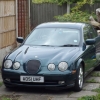
Fox has fixed the bonnet however, in order to do so, they had to break through the original grill :(


At least they have put a replacement one on. not the same, and was not painted, so I sprayed it with what I had left from the wheels.


Temporary fix. Only looks good from a distance. :)


Also, now I have to find a badge for this one too...


gallery_7962_249_166381.jpg

  • 3 years later...

From 04 on they seem to have fitted anti tamper boxes over the catches so you cannot access them. I am about to admit defeat!

Latest Deals

Scorpion® Vehicle Tracker Offer - Next Generation CAN-Bus Immobilisation

Disclaimer: As the club is an Scorpion® Partner, The club may be compensated if you make a purchase via Scorpion® links

Create an account or sign in to comment


Background Picker
Customize Layout

Account

Navigation

Search

Configure browser push notifications

Chrome (Android)
  1. Tap the lock icon next to the address bar.
  2. Tap Permissions → Notifications.
  3. Adjust your preference.
Chrome (Desktop)
  1. Click the padlock icon in the address bar.
  2. Select Site settings.
  3. Find Notifications and adjust your preference.