Do Not Sell My Personal Information
Jump to content
View in the app

A better way to browse. Learn more.

Jaguar Owners Club

A full-screen app on your home screen with push notifications, badges and more.

To install this app on iOS and iPadOS
  1. Tap the Share icon in Safari
  2. Scroll the menu and tap Add to Home Screen.
  3. Tap Add in the top-right corner.
To install this app on Android
  1. Tap the 3-dot menu (⋮) in the top-right corner of the browser.
  2. Tap Add to Home screen or Install app.
  3. Confirm by tapping Install.

Welcome to the Jaguar Owners' Club!

Membership is completely free, and our community is built by enthusiasts, for enthusiasts. We’re a proudly independent, non-official club, so all the help and opinions you’ll find here come directly from members with real experience of Jaguar Ownership from REAL people.

Join the club! Become part of the community!


Featured Replies

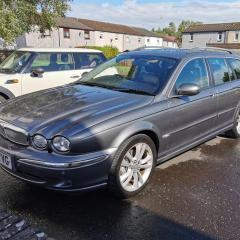
Hi folks, I've recently bought a 2007 Sovereign estate 2.0 diesel. I have a couple of questions if anyone can help please. I can't connect any phones to the car. I've entered the code ##3*# then pressed the green send icon on the screen and..... Nothing. Display shows No BT Phone. Next one is the power socker/!Removed! lighter, it's missing and I'd like to fit an original one or equivalent. The wiring is there and supplying power. In fact if anyone has a complete ashtray compartment with a clean lid in either wood effect or grey and a matching manual gearshift gaiter with surround I'd bite your hand off for them. 

Last topic, CD changer. My sovereign doesn't have one and probably never had one as there's no visible spare wiring and plugs when I remove the trim at the nav unit. How much of a pain is it to obtain a changer and all wiring? 

Thanks in advance. Dean. 

Use your phone's bluetooth to look for "Jaguar". If it doesn't appear you don't have the kit fitted. Easy and cheap to do.

Likewise, CDC is easy and cheap to fit, as is Voice control.

You'd need to code them in using the Jaguar diagnostics but that's a simple procedure taking no more than 20 minutes.

The wiring is almost certainly built in. I've been doing these mods on S and X and XJ for years and never yet found an X-type without the wiring.

You'll have to add / extend the fibre optics but again, dead easy.

All parts readily available.

Let me know If I can be of help

  • Author

Thanks for the info.

Both of my Android fones can't pick up "Jaguar" in the bluetooth list so looks like the kit isn't fitted.

I don't suppose you would know where I can find everything I need to get bluetooth and CD changer up and running? Thanks again.

While I'm here, at some point the cigarette lighter socket has been removed leaving the hole and wiring where it should be. Wiring is fine so I'm after a new ashtray trim piece with cigarette lighter socket and matching gear lever gaitor with plastic surround for a manual car. The colour of the ones in the car are a kind of silver grey colour but I'm not bothered if someone has the wood trim effect or silver parts. As long as they are in good clean condition as mine are badly scratched.

Later model Bluetooth module

Fakra aerial

CDC

Voice module

Microphone

D2B modifications as required

I have the part numbers somewhere but haven't time to dig them out this evening.

If you're keen to go ahead, let me know.

  • Author

Hi Paul, I'm keen if it's not silly money. Do you have an idea of the total cost please?

Much appreciated.

Dean.


  • Author

Thanks Paul, If I get all the parts is there any fitting instructions around? I know where the CDC fits into but don't know where the other parts are located.

I can't thank you enough for the help so far, much appreciated.

  • Author
12 hours ago, Raistlin said:

No worries, I'll brief you as required.

Are you able to splice optical cables or would you prefer a plug and play solution?

I think plug and play is my best option thanks. I've ordered the parts from the links you gave. Waiting for the bid to end on the CDC. 

Those were only examples .🙂

OK, while waiting, please check your electronics stack (boot, left side) looking for a D2B cable. Either plugged in or terminated.

Have you got sat nav?

I'm guessing you'll need a 1 to 3 D2B link but I'll need this info before committing to buy the D2B.

If you can take pictures of the area around the stack with the trim removed it would help.

If you were driving down the M6 in the near future, I'd sort it all out for you but it's a long way to drive, even in a Jaguar 😉

The image shows typical D2B cable

20180812_112528_118b97bd4fd186fa8dcb6dfe0df35aaf73bc7250.jpg

  • Author

Hi Paul. I've taken these pics of what's wired in. I've got working sat nav. 

The M6 is a bit of a jaunt. 

Thanks.

IMG_20200916_200332[1].jpg

IMG_20200916_200342[1].jpg

IMG_20200916_200509[1].jpg

IMG_20200916_200518[1].jpg

IMG_20200916_200652[1].jpg


That looks OK 🙂

Once the modules arrive you'll find associated connectors tucked in to the loom.

You will need a 1 to 4 D2B cable as well. You might have to get a couple of smaller ones and splice them to what you want. This I can do and post to you if required.

  • Author

As I've never handled a D2B cable I think I'll leave the splicing to the experts if you don't mind doing it for me.

I received the VACM VOICE MODULE today, first of many bits.

  • Author

I've had a look online for a 1 to 4 D2B cable and results are mostly showing different cables from what I need.

Woud it be possible for you to supply one? That way I'm getting the correct part.

Thanks.


  • Author

Hi Paul,

Been quite busy with work last few days.

I've got the 4-1 D2B cable, next I'll need the CDC as I got outbid on the last one. As soon as I get a CDC I'll start to piece it all together in the car. I only hope all the electrical connectors are tucked up in the loom at the back.

  • Author

Thanks Paul, you don't have a CDC with cardridge by any chance do you?

  • Author

OK, I'll keep looking. 👍

Latest Deals

Scorpion® Vehicle Tracker Offer - Next Generation CAN-Bus Immobilisation

Disclaimer: As the club is an Scorpion® Partner, The club may be compensated if you make a purchase via Scorpion® links

Create an account or sign in to comment


Background Picker
Customize Layout

Configure browser push notifications

Chrome (Android)
  1. Tap the lock icon next to the address bar.
  2. Tap Permissions → Notifications.
  3. Adjust your preference.
Chrome (Desktop)
  1. Click the padlock icon in the address bar.
  2. Select Site settings.
  3. Find Notifications and adjust your preference.