Leaderboard


Popular Content
Showing content with the highest reputation on 12/03/2013 in all areas
-
1 pointHi everyone It would be interesting to know where everyone is from in the country. Im from West Calder in Scotland.... B) Bill1 point
-
1 pointWe have just launched a new Club Shop website to showcase our club merchandise and gifts. With it now being less than 50 days until Christmas, Mufflebox may provide some solutions to the dilemma of 'what to get for the car enthusiast'. http://www.mufflebox.com/collections/jaguar-1
 1 point
 -
Hi Billyboy To start with, I would check and inflate/deflate tyre pressures if necessary. You could go for a larger profile to allow for a more comfortable ride but lose the handling benefits. Any members out there experiencing the same problem with their XF ?1 point
-
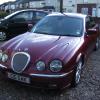
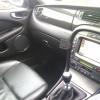
Hello Just a few days into an S-Type 2.7 V6 Bi-turbo and completely sold on it. I was really looking for a Mark II but common sense and the need for some reliability crept in! Thanks for letting me in :D Sellers pic:1 point
-
1 point
-
1 point