


Leaderboard
-
Mickiep
Members1Points7Posts
Popular Content
Showing content with the highest reputation on 07/31/2014 in all areas
-
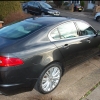
1 pointHi Guys again, Well after browsing the internet early this morning I managed to locate a company in Nottingham just 5 miles from where I live called MGC Servicing and I spoke to the manager Mike Clay about the issue with the DPF. What a great guy...His knowledge and expertise was just the ticket. I drove my car over there for it to have a diagnostic check and to have put right whatever was wrong. I arrived there at 12:45 and by 2pm I was on my way home..The total cost (£50)..I was even allowed to see the results of the diagnostics by the technician and none of this cloak & dagger nonsense. So now once again I'm a happy chappy and after a sharp learning curve I feel I now know a little about the prevention which will hopefully avoid the cure!!! Cheers....Mick1 point