


Leaderboard

Popular Content
Showing content with the highest reputation on 05/18/2015 in all areas
-
1 pointAt long last I've finally taken the plunge and bought my dream car, a low-milage 1999 4.0 V8 S-Type in Silver. It's got a few issues but I'm gradually working my way throught them - just need to fix the sat-nav and we're there. I've always been averse to buying automatics but having driven this one, I can't believe I've not bought one before. Personally I'm 48 years old, married for 27 years and a Firefighter from Hampshire and now the envy of my watch,1 point
-
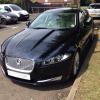
1 pointHi all I have the 2011 XF(UK 61 plate) however this is one of the first face lifted models. I can confirm this model uses the usb update and not the DVD type. navigation.com/jaguar advises that the 2011 XF is the DVD type but they do not take into account that there are face lifted models in late 2011. Usb update took me 2.3 hours with no problems.1 point