


Leaderboard
-
StuMac
Members1Points16Posts -
LairdScooby
Moderators1Points1,273Posts


Popular Content
Showing content with the highest reputation on 04/12/2023 in all areas
-
1 pointI'm not sure about the Jag seats but have come across similar problems on other cars where the drive from the motor gets "lost" due to a coupling failure on the seat. If you can only access the bolts with the seat completely moved forward or backwards you may have to crawl under with a mirror, torch and a pair of grips, identify the rod that isn't turning when it should and turn it with the grips to move the seat backwards and forwards so you can remove the bolts. Will be a very slow operation but at least you'll be able to remove the seat, find and fix the fault and then refit it.1 point
-
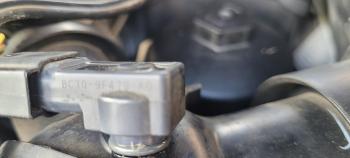
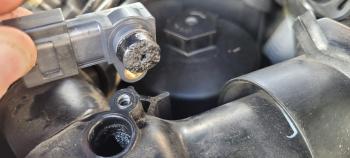
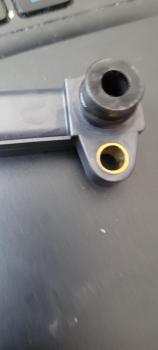
Glad you got sorted & hope you get home ok with no more issues. I had already had another look and found the part number on the side, BC3Q - 9F479 - AD My sensor was pretty blocked with crap from the EGR, so gave it a clean with electrical contact cleaner.
 1 point


