


Leaderboard
-
Alexander Cotton
Members1Points1Posts

Popular Content
Showing content with the highest reputation on 04/15/2025 in all areas
-
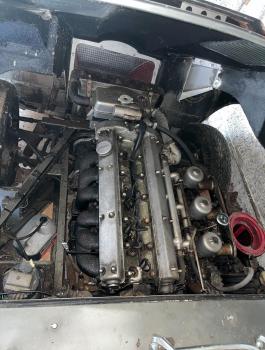
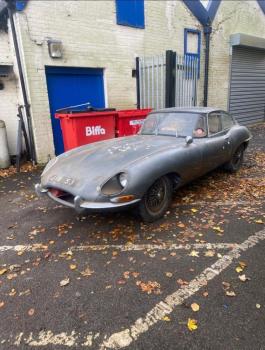
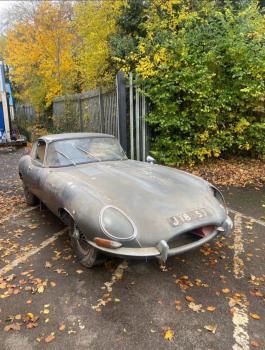
Hi there. I am new to this forum and am in a bit of a pinch (very lucky to say that given the situation). I have had the fortunate of inheriting a Type 1, 3.8 litre straight 6 E-type Jaguar. Sadly however, I am not in the position to be able to restore this beautiful car to its former glory. After much thought and with a heavy heart, I have decided that it would be best that the car be taken on by someone who can give it the care and attention it deserves. If anyone would be interested in purchasing the car, or knows anyone that would I would be grateful to discuss. I have all relevant paperwork/log books which come with the car, as well as have a few replacement parts should they be useful. I am happy to answer any questions to the best of my knowledge.
 1 point


