


Leaderboard
-

Claws
Established Member1Points701Posts -

Gordy
Members1Points66Posts -
Mackem Exile
Members1Points2Posts



Popular Content
Showing content with the highest reputation on 02/13/2016 in all areas
-
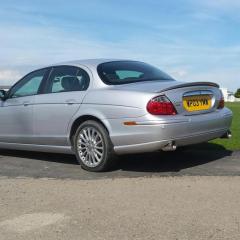
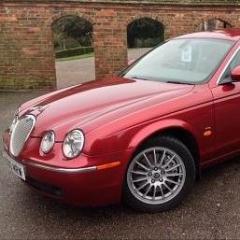
1 pointIt is a Victory Edition – part of the last build run – which included four special colours including black copper metallic. It also has the edition elm wood veneer interior plus satnav. I am the second owner. It has a full service history, and to date clear MOTs and no mechanical faults. Bodywork is perfect. If I had two garages I would keep it and buy a run round for day to day use, but I do not have space to store 2 cars. Pictures attached. And many thanks for your advice. exterior.bmp interior.bmp1 point
-
1 point
-
Cheers Tim Thanks for the advice, i'll take a look at it, although I have all the bits and pieces ready for the work ahead, axle stands / ramps etc for the back boxes Paint brushes / paint for the engine bay bit, and of course for the chrome boot strip, at some point i'll be changing the CD / Radio you may have read my post on this topic1 point