Do Not Sell My Personal Information
Jump to content
View in the app

A better way to browse. Learn more.

Jaguar Owners Club

A full-screen app on your home screen with push notifications, badges and more.

To install this app on iOS and iPadOS
  1. Tap the Share icon in Safari
  2. Scroll the menu and tap Add to Home Screen.
  3. Tap Add in the top-right corner.
To install this app on Android
  1. Tap the 3-dot menu (⋮) in the top-right corner of the browser.
  2. Tap Add to Home screen or Install app.
  3. Confirm by tapping Install.

Leaderboard

Popular Content

Showing content with the highest reputation on 05/10/2019 in all areas

  1. 1 point
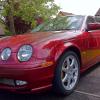
    I love my 2001 3.0 S Type sport! I know the main reason for these forums is to find answers to problems. But let's not focus on the negatives. Stand up and be proud. So who else loves their Jag???
  2. 1 point
    I'm guessing the Mrs can't see this?! Haha
  3. 1 point
    Superb car love it to bits, had the car for 10 months and wish I tried Jaguars before the only down side is the cost of fuel when I finish work on lates (12.30 in the morning) the motorways are fairly quiet so i tend to go for a spin, I live about 1.5 mile from work this tends to end up at a 50 mile journey!


Background Picker
Customize Layout

Configure browser push notifications

Chrome (Android)
  1. Tap the lock icon next to the address bar.
  2. Tap Permissions → Notifications.
  3. Adjust your preference.
Chrome (Desktop)
  1. Click the padlock icon in the address bar.
  2. Select Site settings.
  3. Find Notifications and adjust your preference.