Do Not Sell My Personal Information
Jump to content
View in the app

A better way to browse. Learn more.

Jaguar Owners Club

A full-screen app on your home screen with push notifications, badges and more.

To install this app on iOS and iPadOS
  1. Tap the Share icon in Safari
  2. Scroll the menu and tap Add to Home Screen.
  3. Tap Add in the top-right corner.
To install this app on Android
  1. Tap the 3-dot menu (โ‹ฎ) in the top-right corner of the browser.
  2. Tap Add to Home screen or Install app.
  3. Confirm by tapping Install.

Leaderboard

Popular Content

Showing content with the highest reputation on 01/06/2024 in Posts

  1. Have a Happy New Year.
  2. Happy New Year to all and lets hope 2024 is a good one ๐Ÿ™‚
  3. Happy New and Peaceful New Year to Everyone. Best Wishes and Regards, John
  4. A Happy New Year to all on here! Hope it's much better than 2023 was! ๐Ÿ˜‰ ๐Ÿ˜„
  5. All the best, from a proud owner of a Jaguar in Woodenbong NSW AUSTRALIA.
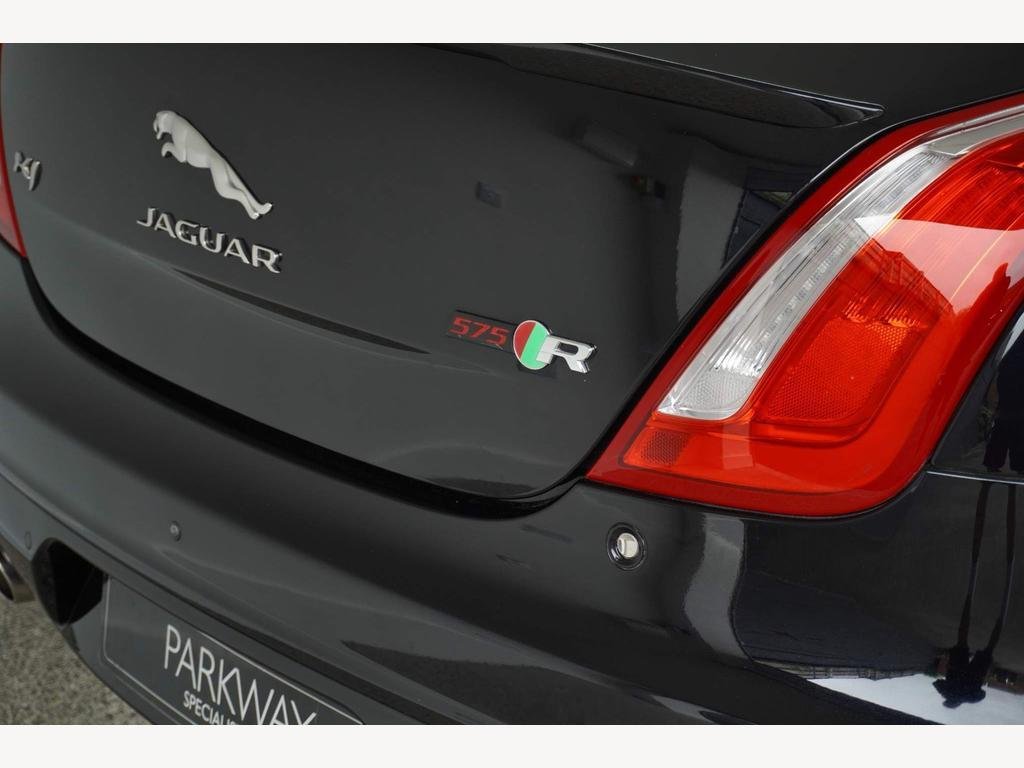
  6. The XF is going and for my Birthday and start of retirement I had decided to go for something less flamboyant and lower performance as a nice little runaround.... NOT ๐Ÿ˜‰ And here she is:- Deposit paid and due for arrival mid December. She has just about every bell and whistle on board as well ๐Ÿ˜‰ For those who have less than perfect sight, the red text to the left of the "R" badge on the boot lid is:- 5...7...5 ๐Ÿ™‚


Background Picker
Customize Layout

Account

Navigation

Search

Configure browser push notifications

Chrome (Android)
  1. Tap the lock icon next to the address bar.
  2. Tap Permissions โ†’ Notifications.
  3. Adjust your preference.
Chrome (Desktop)
  1. Click the padlock icon in the address bar.
  2. Select Site settings.
  3. Find Notifications and adjust your preference.