Do Not Sell My Personal Information
Jump to content
View in the app

A better way to browse. Learn more.

Jaguar Owners Club

A full-screen app on your home screen with push notifications, badges and more.

To install this app on iOS and iPadOS
  1. Tap the Share icon in Safari
  2. Scroll the menu and tap Add to Home Screen.
  3. Tap Add in the top-right corner.
To install this app on Android
  1. Tap the 3-dot menu (⋮) in the top-right corner of the browser.
  2. Tap Add to Home screen or Install app.
  3. Confirm by tapping Install.

Welcome to the Jaguar Owners' Club!

Membership is completely free, and our community is built by enthusiasts, for enthusiasts. We’re a proudly independent, non-official club, so all the help and opinions you’ll find here come directly from members with real experience of Jaguar Ownership from REAL people.

Join the club! Become part of the community!


Seat Positions and Engine Lag

Featured Replies

Hi All,

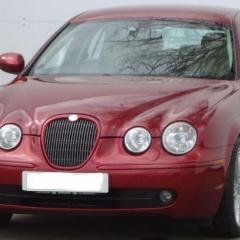
So, I did get myself a newer car, a 2006 Sport Diesel Manual, and very nice it is too. Having had a 2 years older 3.0ltr Sport, there are a couple of differences that I was wondering about.

1) When the car engine is off, the front seat is in a withdrawn position, and rises up to the memory preset when the engine is started. Is there anyway to set the position of the seat to the memory reset permanently?

2) There is a slight engine lag when going up through gears, but I expect that's due to the twin-turbo.

Thanks for any help,

Nick


hi

the should be a switch on the steering column to adjust it

move it from auto to steering column and your seat, steering column will stay in one position

cheers

Joe

  • Author
13 minutes ago, JOE-DOT-COM said:

hi

the should be a switch on the steering column to adjust it

move it from auto to steering column and your seat, steering column will stay in one position

cheers

Joe

Thanks Joe, that did the job for the seats. Brilliant! Any ideas on the slight engine lag?

Hi Nick,

Joe beat me to it, again, follow his advice to permanently set the seat position.

Regarding the engine response problem - my guess is that the delay resulting from the 'Fly by Wire' accelerator is being compounded by the usual problem with Turbo Lag. I would have thought though that the ECU software would be smart enough to accommodate these and deliver the expected response.

Maybe others reading this thread can confirm whether the ECU is capable of this and how it may be achieved?

BTW, congratulations on your latest acquisition its good to see someone holding onto the grin.

Steve

  • Author

Thanks Joe. Interesting what you say about the ECU. I would be very interested in the responses.

(Joe, I'm a great fan of the S-Type and I think it was a good buy - my old car plus £2k - can't say fairer than that ;)

Hi

Most of the S-type's are fly by wire and the ecu's are extremely fast

If there's a delay, its not electronics wise, my STR is instant response and I'm sure the TDV6 should be aswell

not driven the Diesel S-type but there's plenty of people on here with them, so hopefully some one will tell us how they should be

has it got service history of fuel filters and air filters been replace

cheers

Joe


I experienced the throttle lag with the diesel as well. At best embarrassing, at worst potentially dangerous.

I had a remap and one of the parameters was to reduce or eliminate the lag and it was very successful.

  • Author

Thanks, I'll look into remapping (it's just finding someone local qualified to do it :)

Latest Deals

Scorpion® Vehicle Tracker Offer - Next Generation CAN-Bus Immobilisation

Disclaimer: As the club is an Scorpion® Partner, The club may be compensated if you make a purchase via Scorpion® links

Create an account or sign in to comment


Background Picker
Customize Layout

Account

Navigation

Search

Configure browser push notifications

Chrome (Android)
  1. Tap the lock icon next to the address bar.
  2. Tap Permissions → Notifications.
  3. Adjust your preference.
Chrome (Desktop)
  1. Click the padlock icon in the address bar.
  2. Select Site settings.
  3. Find Notifications and adjust your preference.