Jump to content


  • Welcome to the Jaguar Owners' Club!

    Membership is completely free, and our community is built by enthusiasts, for enthusiasts. We’re a proudly independent, non-official club, so all the help and opinions you’ll find here come directly from members with real experience of Jaguar Ownership.

    Join us now!


Recommended Posts

Posted

Hi, wonder if anybody can help me. I recently purchased a speed cam alert from http://www.speedcamupdates.com/jaguar-xf and am struggling to install and wondered if anybody had a similar problem. The install instructions are below ehich I have followed, but at point 11 its not recognising I have inserted a USB stick so wont give me the options. I have tried a couple of different USB sticks but no joy. I have previously updated the maps via USB without any issue (its the hard drive sat nav rather than disk). Any help would be much appreciated as not getting any response from the web site

  1. Extract files from the SpeedcamUpdates zip package. If the file you have downloaded is not a ZIP file means the file is already decompressed, and you can continue with the next step of this installation instructions.
  2. Start The Engine (Ignition may switch off otherwise while you are installing the GPX files).
  3. Insert USB Stick containing the Speed Camera POI's (POI files must be in .GPX format (See Handbook) and in the root folder of the drive, not in sub-folders.
  4. Do the following:
  5. Touch the Nav Button
  6. Touch Nav. Menu Button
  7. Touch More Button
  8. Touch Stored Locations
  9. Touch My POI Button
  10. Touch Add Button
  11. Touch "USB Drive" Button
  12. You should now see a list of the POI's on your USB Stick
  13. Touch the type of POI you want to install (Do one at a time, it is much much safer that way)
  14. When you have installed all the POI's you want to install go to Edit and touch the Edit Button. This should bring up all the POI's you have installed including any previous ones you have installed. Touch the Speed Camera File you want to Edit (Example, Gatso-Mobile-Pmobile-Red Light-Specs), this will bring up a Menu to allow you to change the sound and Switch the Sound and Show on Map On or Off . NB it is recommended that you Switch both Sound and Shown on the Map to On.
  15. To change the sound go to the Icon shown on Left Hand Side of screen Touch the Sound Icon it will bring up a list of Installed Sounds touch the one you want for that particular Camera & DON'T FORGET to touch OK before leaving that Menu Screen otherwise it will default to all Off.
  16. Repeat this for all the Speed Camera Files you want to Edit, touching OK after each Edit. Touch Return to Map after you have Edited all the Cameras you want and Remove your USB stick.
  17. Take the Car for a Drive near to some cameras you know about and test to see if working OK.
  • 8 months later...
Posted

I have the same issue with my 2012 XF. My guess is it's an early release of the nav software (program, not maps).

The stealers want £175 just to plug the diagnostics in and then £95 per hour whilst running any necessary updates.

Apparently, it can take 2-3 hours depending on updates required. Having estimated between £400-500, they can't guarantee this will fix the issue.

I'm probably going to buy a mongoose adapter and update myself.. 

20200706_180528.jpg

Posted

Hi ..   all i use to find static  redlight  cameras is[ Radarbot YOU CAN GET IT FREE ON YOUR MOBIL it says how fare away they are and the speed limet ..it works for me

Posted

I subscribe to https://www.pocketgpsworld.com/  Costs £20 per year. Free if you submit a camera that's not on their system. It gives an alarm about 200m before the camera and shows it physically on the info screen roadmap. It was a download onto a memory stick and then into the XF. I found it easy to follow.

  • 5 months later...
Posted

I have not been able to load the GPX files from a USB stick to my 2017 XF. No “USB” button appears on screen. Has anyone cracked this?


  • 2 weeks later...
Posted

Not exactly a fix, but you can get TomTom Amigo free for Android and Apple from relevant stores.  It contains navigation with traffic and speed cameras for UK and Europe, is updated constantly and very reliable.  It will overlay on Google Maps if you prefer them.  I use it mainly as just a speed display and camera alarm.  It even shows your average speed and current speed for those average speed sections of road.

I highly recommend it.

Create an account or sign in to comment

You need to be a member in order to leave a comment

Create an account

Sign up for a new account in our community. It's easy!

Register a new account

Sign in

Already have an account? Sign in here.

Sign In Now


  • Topics

  • Our picks

    • JAGUAR CELEBRATES 90TH ANNIVERSARY
      Two Visionaries. One Ethos. Ninety Years Apart

      Jaguar marks 90 years of fearless design with a poignant moment: SS Jaguar and the brand’s most recent release, Type 00, appear outside The Chancery Rosewood. The property’s fusion of mid‑century, modernist lines and contemporary British artistry reflects Jaguar’s own artistic endeavour.

    • Jaguar Icons
      EXPLORE THE VEHICLES THAT HAVE IMMORTALISED JAGUAR ON THE TRACK AND ON THE ROAD FOR OVER 70 YEARS

      Click the link below and jump back to the past by reviewing the wonderful machines that left the factories over the decades, if only just to remind you of the models when Jaguar built some of the best cars in the world !

      https://www.jaguar.co.uk/about-jaguar/jaguar-icons.html

      Article courtesy of the official Jaguar website https://www.jaguar.co.uk/
    • FEARLESS. EXUBERANT. COMPELLING. THIS IS JAGUAR, REIMAGINED
      Fearless, exuberant, compelling - this is Jaguar reimagined
      A new era begins today for Jaguar. A completely transformed Jaguar brand recaptures an ethos to Copy Nothing that can trace its roots back to the words of its founder, Sir William Lyons 
    • Jaguar will end all new UK sales in November meaning no new cars will be available from the firm until its electric revival starts in 2026. 

      https://www.carmagazine.co.uk/car-news/industry-news/jaguar/f-pace-production-ends/

      Article source:  Car Magazine - Ted Welford  Published: 1st November 2024
      • 11 replies
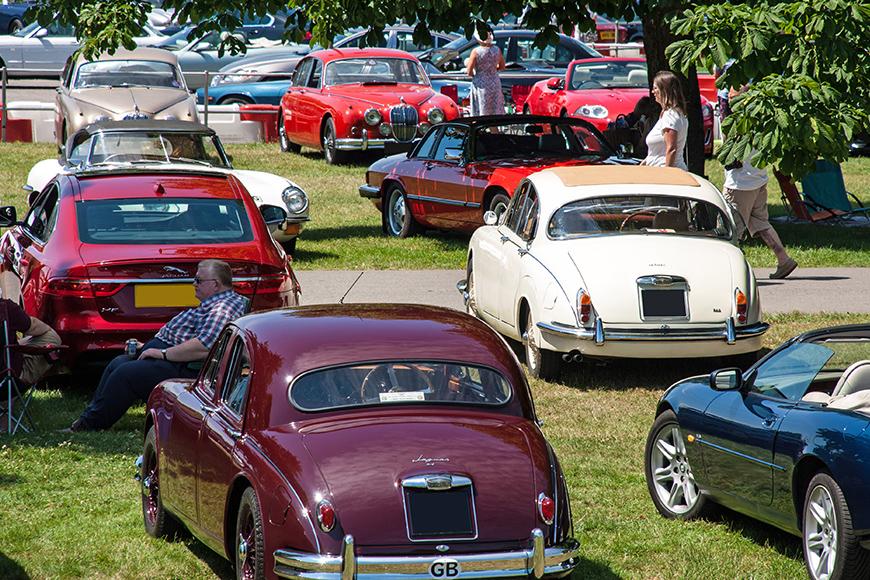
    • Simply Jaguar show at Beaulieu - Sunday 23rd June 2024
      Jaguar Owners Club have a stand at this year's Simply Jaguar event at the National Motor Museum at Beaulieu, Hampshire on Sunday 23rd June 2024

      Tickets are available online here: https://www.beaulieu.co.uk/events/simply-jaguar/
        • Like
      • 7 replies

×
×
  • Create New...


Forums


News


Membership


  • Insurance
  • Support