Leaderboard
-

Russ68
Established Member2Points742Posts -
Simjag
Established Member2Points196Posts -
JOE-DOT-COM
Established Member1Points2,509Posts -
sportsman
Members1Points48Posts




Popular Content
Showing content with the highest reputation on 09/23/2016 in Posts
-
1 pointwow thats expensive, radiators are around £100 so that means £400 labour, wow I'd replace it yourself if i was you cheers joe1 point
-
1 pointAfter a ton of research I just bought some Nexen Nfera SU1 for the back of mine, well reviewed and tested, plus cheap - medium price. Worth checking out I suggest1 point
-
1 pointCan I recommend a new tyre, well,new to me anyway. Just had 4 fitted to my 3.0V6S type and I am very impressed. Very quiet, bags of grip in the dry (can't comment on wet as we have not had any rain since June) Gets excellent reviews and if the EU label is to be believed scores very highly on wet grip. The tyre is Davanti DX640 in 235/50/17 98 Y Very well priced but very good. I am so impressed that I am going to put them on my XF when needed.1 point
-
1 point
-
1 pointHi Nick, really interesting that, and fantastic you've had your S-Type from new, awesome brand and model loyalty. It gives you a valuable perspective not many will have! I'll bear that in mind re the stater motor, and if mine gets sluggish, I'll consider this above other things1 point
-
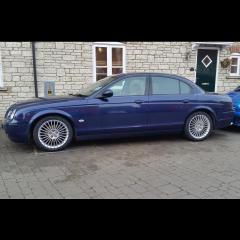
1 pointHi Raymond I think your jag looks really good and I think the grill set it of perfectly. Frank1 point
-
1 point