


Leaderboard
-
woodsy
Members2Points39Posts -
TR15T4N
Members2Points10Posts -
JOE-DOT-COM
Established Member1Points2,507Posts

Popular Content
Showing content with the highest reputation on 02/10/2017 in all areas
-
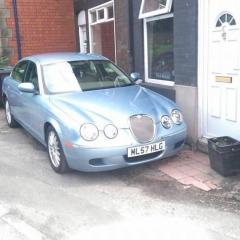
2 pointsMy Wife and I went shopping the other day in my S Type parked up in the car park and away went Well on our return from the shops there was a Rover 75 almost the same colour parked next to mine and my Wife had the cheek to say mind you dont get in the wrong car love ha Well she very nearly walked home lol2 points
-
1 pointHi Saw This today and it may be a option if your thinking of upgrading your sound system cheers joe Have a look here http://veffremovve.wixsite.com/jaguar?from=%401 point
-
1 pointI found a broken breather hose on the top of the engine. I have now replaced this and so far have not seen any blue smoke. Thanks for your help and suggestions!1 point
-
1 pointThanks for your replies. Unfortunately it was bought privately so it looks like i will have to sort out the problems myself. I should have checked it over more thoroughly. I will look into the egr valve though. I have found out that the limp mode was caused by the maf sensor plug shaking loose. Pretty sure the blue smoke wont be sorted as easily though!1 point