


Leaderboard
-
Steve
Administrators2Points8,252Posts -
EricG
Members1Points13Posts -
Christian XJ8
Members1Points3Posts


Popular Content
Showing content with the highest reputation on 08/17/2013 in all areas
-
Go and hire a big America dodge ram for a weekend 6.0 V12 sort of size you will be glad to get your jag back believe me !!1 point
-
1 pointwhen you click reply, click the "More Reply Options" button, then browse a picture and click ATTACH THIS FILE facelift has a different a noticible change on the rear end. OLD REAR END FACELIFT REAR End1 point
-
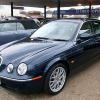
1 pointIn 1946 when the Second World War had just ended, I was 10 years old and, having seen an SS Jaguar for the first time, I announced that "I would have a Jag when I was old enough to drive"! It took longer than intended but I eventually achieved my ambition in 2002 when I was 65 when I bought an ex-demo 3.0 Litre S Type with 4000 miles on the clock.From the outset this has been a "head turning" car maybe because of its unusual colour (Roman Bronze) and partly because of its 18 inch wheels. Whatever the reason, I have had, and still get, regular compliments from complete strangers. The car has no less than 61,000 miles on the clock as it enters its 12th year in my ownership and I have to say "It was worth the wait"1 point