Do Not Sell My Personal Information
Jump to content
View in the app

A better way to browse. Learn more.

Jaguar Owners Club

A full-screen app on your home screen with push notifications, badges and more.

To install this app on iOS and iPadOS
  1. Tap the Share icon in Safari
  2. Scroll the menu and tap Add to Home Screen.
  3. Tap Add in the top-right corner.
To install this app on Android
  1. Tap the 3-dot menu (⋮) in the top-right corner of the browser.
  2. Tap Add to Home screen or Install app.
  3. Confirm by tapping Install.

Leaderboard

Popular Content

Showing content with the highest reputation on 01/24/2016 in all areas

  1. Infinitely better and more reliable than the demonic scotchlok Joe
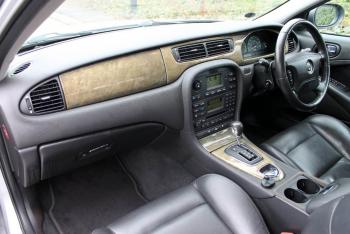
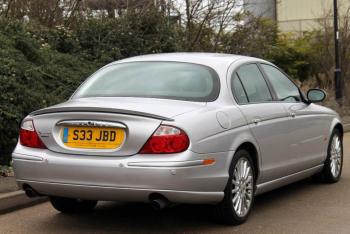
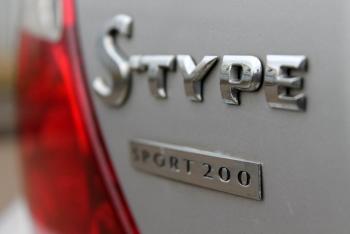
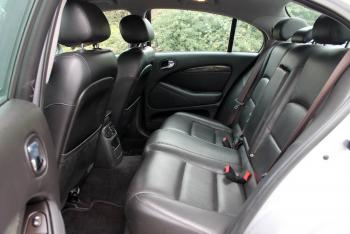
  2. Hi Denis i have a 2003 '200 sport' I believe June / July registered, I didn't know they are limited edition? Would seriously be interested in any info you might get. Does yours have the badge like mine under the S type badge on the back? It's the oblong piece you can just about see below I asked the dealer, why it was 'Very rare' as it was advertised, but he had know idea! These are his photos (the big ones) ignore the reg plate, that was private, I now have its original and have changed the grille since. Regards Steve


Background Picker
Customize Layout

Account

Navigation

Search

Configure browser push notifications

Chrome (Android)
  1. Tap the lock icon next to the address bar.
  2. Tap Permissions → Notifications.
  3. Adjust your preference.
Chrome (Desktop)
  1. Click the padlock icon in the address bar.
  2. Select Site settings.
  3. Find Notifications and adjust your preference.