


-
Topics
-
-
Our picks
-

Simply Jaguar show at Beaulieu - Sunday 23rd June 2024
Jaguar Owners Club posted a topic in England Events,
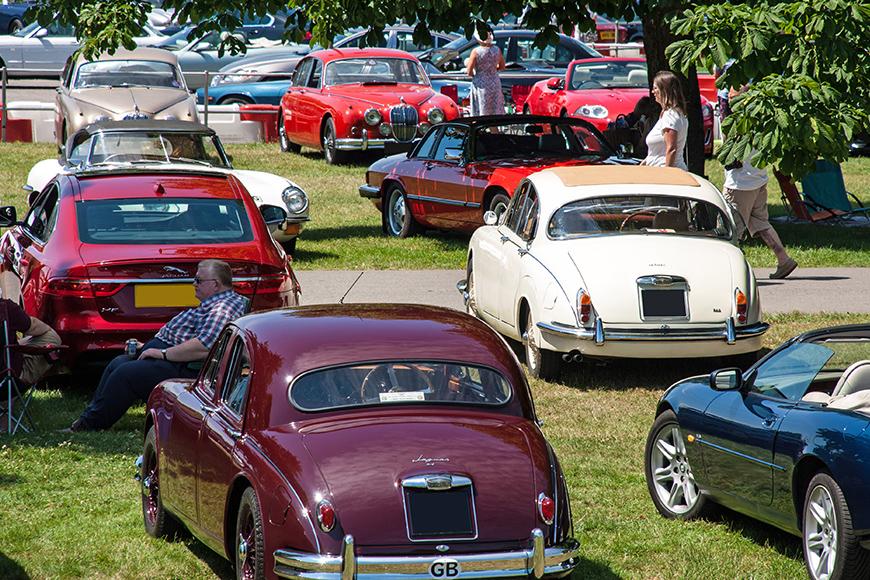
Jaguar Owners Club have a stand at this year's Simply Jaguar event at the National Motor Museum at Beaulieu, Hampshire on Sunday 23rd June 2024
Tickets are available online here: https://www.beaulieu.co.uk/events/simply-jaguar/-
-
- 1 reply

Picked By
Jaguar Owners Club, -
-
JAGUAR’S LAST PETROL SPORTS CAR: F-TYPE ZP EDITION TAKES THE CHEQUERED FLAG
Jaguar Owners Club posted an article in News & Articles,
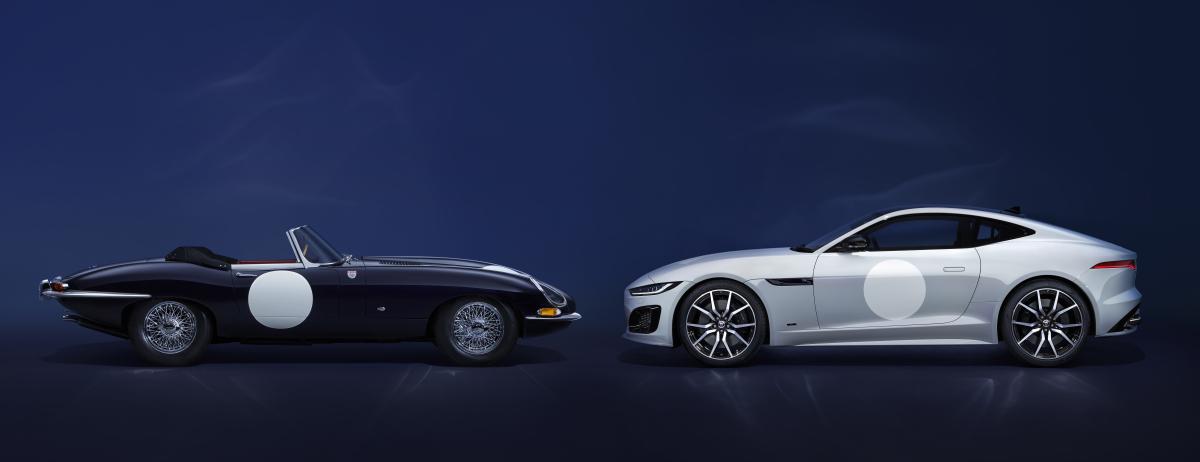
Jaguar is commemorating the end of its internal combustion sports car lineage in 2024 with an exclusive limited-edition F-TYPE inspired by two iconic 1960s racing E-types
Just 150 examples of the F-TYPE ZP Edition will be the last internal combustion-engined sports cars designed by Jaguar. These 575PS supercharged petrol V8 F-TYPEs feature specially curated interior and exterior details by the personalisation experts at SV Bespoke.
Picked By
Jaguar Owners Club, -
-
Post in Simply Jaguar - Beaulieu Motor Museum - 25th June 2023
Jaguar Owners Club posted a post in a topic,
UPDATE SHOW INFORMATION !
Please find attached your club label – please can this be distributed amongst your club members prior to the event. Please ensure that they print this label and display it in their windscreen upon entry to the event, this ensures that all members wishing to park within your club area are directed to the correct parking location by our stewards. Please do not modify or add logos to the club label.
We do ask that all individuals have purchased their tickets on an individual basis in advance via our website, to speed up the entry process on the day. This can be done on our website here until 2pm on the day when admission closes: https://www.beaulieu.co.uk/events/simply-jaguar.
Note that we do have two entrances available, one is exhibitors gate at the bottom of the hill as you come in to Beaulieu, with the other being the normal Simply event entrance within the attraction. Either entrance is fine to use and both are open from 9.00am, with the exhibitors entrance closing around 11am.
Jaguar Owners Club (1).pdf
Picked By
Jaguar Owners Club, -
-
Simply Jaguar - Beaulieu Motor Museum - 25th June 2023
Jaguar Owners Club posted a topic in England Events,
Jaguar Owners Club have a stand at this years Simply Jaguar event at the National Motor Museum at Beaulieu, Hampshire on Sunday 26th June 2023
Tickets are available online here: https://www.beaulieu.co.uk/events/simply-jaguar/
TICKETS & PRICES
Participant prices are only valid if arriving in a Jaguar and taking part in the rally. They are not valid for those arriving on foot.
Participants can make the most of our EARLY BIRD discount by booking before 28th February 2023.
Children under 5 require a ticket, this can be booked online free of charge.
Participant and visitor tickets will include entrance to the rest of the Beaulieu attraction, including the National Motor Museum, Palace House, Little Beaulieu, World of Top Gear, Beaulieu Abbey and its grounds and gardens.
The best time for viewing the Simply rally is between 10am and 2pm.
Adult
Child
Participants – Early Bird*
£14.00
£7.50
Participants – Standard & On The Day
£16.00
£8.00
Visitors
Normal admission applies.
Normal admission applies
*Early bird tickets are available until 28th February 2023
VEHICLE ENTRY
Entry with your Jaguar is from 9am – 2pm. Please make sure you have your ticket printed or available on your phone, ready to be scanned on arrival.
Please do not arrive early for our Simply rallies as no facilities will be open prior to 9:30am.
Cars cannot leave and re-enter the grounds for the Simply rallies.
________________________________________________________________________________________________________________
CLUB STAND ATTENDEE LIST
We do ask for a final update on numbers 2 weeks prior to the event following which we will send out club labels to you via email for you to then distribute out to club members. Club members then need to print and display these in their windscreen on arrival. This helps us then park you all in your club area together.
1. Trevor (admin)
2. Paj
3.
-
- 5 replies
Picked By
Jaguar Owners Club, -
-
F-TYPE marks 75 years of Jaguar sports cars and its final model year update
Jaguar Owners Club posted an article in News & Articles,
The Jaguar F-TYPE is the definitive Jaguar sports car from a rich bloodline spanning 75 years and including some of the most iconic models ever built
Picked By
Jaguar Owners Club, -
-








Recommended Posts
Join the conversation
You can post now and register later. If you have an account, sign in now to post with your account.