


Leaderboard
-
pezzzer
Established Member1Points223Posts -
Old Peter
Established Member1Points7,408Posts -
msmicksmith
Established Member1Points239Posts -
Euro527
Members1Points4Posts



Popular Content
Showing content with the highest reputation on 06/24/2014 in all areas
-
1 pointWelcome to the Club, Andy. It sounds as if you are enjoying the Jaguar experience already. When I got my first Jaguar [X type 2.5 SE] at the age of 78 I was told that I would never drive another make of car. The salesman was right! Regards, Peter. Lancastrian in Exile.1 point
-
1 point
-
1 point
-
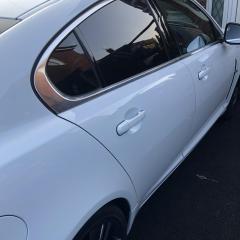
1 pointThis is the result of my efforts on Saturday. Clay bar took 2 hours. Now got to cut, polish, wax and protect. Will be using a combination of Autoglym and Dodo Juice.
 1 point

![WP 20140621 18 44 34 Pro[1]](http://jaguarowners.b-cdn.net/uploads/gallery/album_142/small.gallery_528_142_2013243.jpg.6cd7babf29ef4acf19b26e1d675d5364.jpg)
